Try it in your browser
Play Breakout to jump straight into a cartridge, or browse the catalog to choose Breakout, Lazy Bird or Snake. The console runs in the page; no download or installation is required.
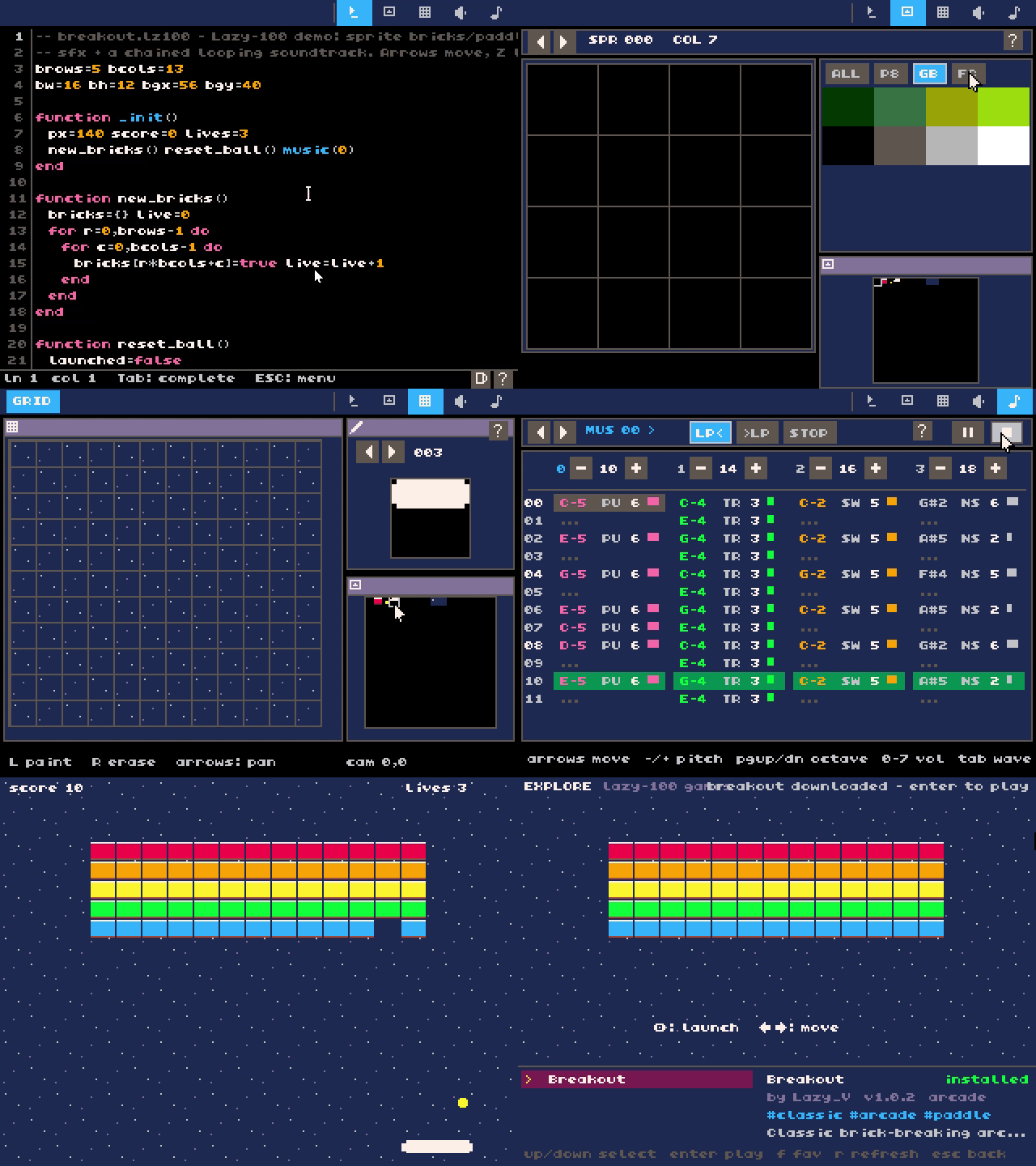
The console homepage also exposes cartridge selection. The same application contains the shell and code, sprite, map, sound and music editors, so the playable games are examples of the console’s own creation tools.
Why This Exists
Two reasons. First, the serious one: Lazy-100 exercises VRI in a full application, bringing rendering, input, audio, editors and web deployment together. Second, the honest one: I have always loved retro games, and building a fantasy console in the spirit of PICO-8 / TIC-80 / BASIC8 is its own reward.
(The name? Lazy_V is my online handle; 100 just sounds nice.)
What It Is
- A 320×240 indexed-color screen with a 256-color palette, 16×16 sprites, and 4-channel audio.
- A complete in-console editor suite: shell, code, sprite, map, sfx, and music editors — you make games inside the console.
- Scripting in Lua 5.4 (via sol2), with a bold twist: a dual-VM architecture that routes PICO-8 carts to a vendored z8lua VM, so supported PICO-8 cartridges execute in a separate PICO-8-compatible VM. Compatibility varies by cartridge.
- Carts are
.lz100text files or shareable.lz100.pngimages with the cart embedded in the picture. - Built on VRI for rendering, SDL3, and miniaudio; runs on desktop and in the browser.
Looking Ahead
Editor polish and more advanced creative tools are on the wishlist — including strudel-style live-coded music making. A companion catalog repo, Lazy-100-games, collects carts.