Depth Pre-Pass and Early-Z
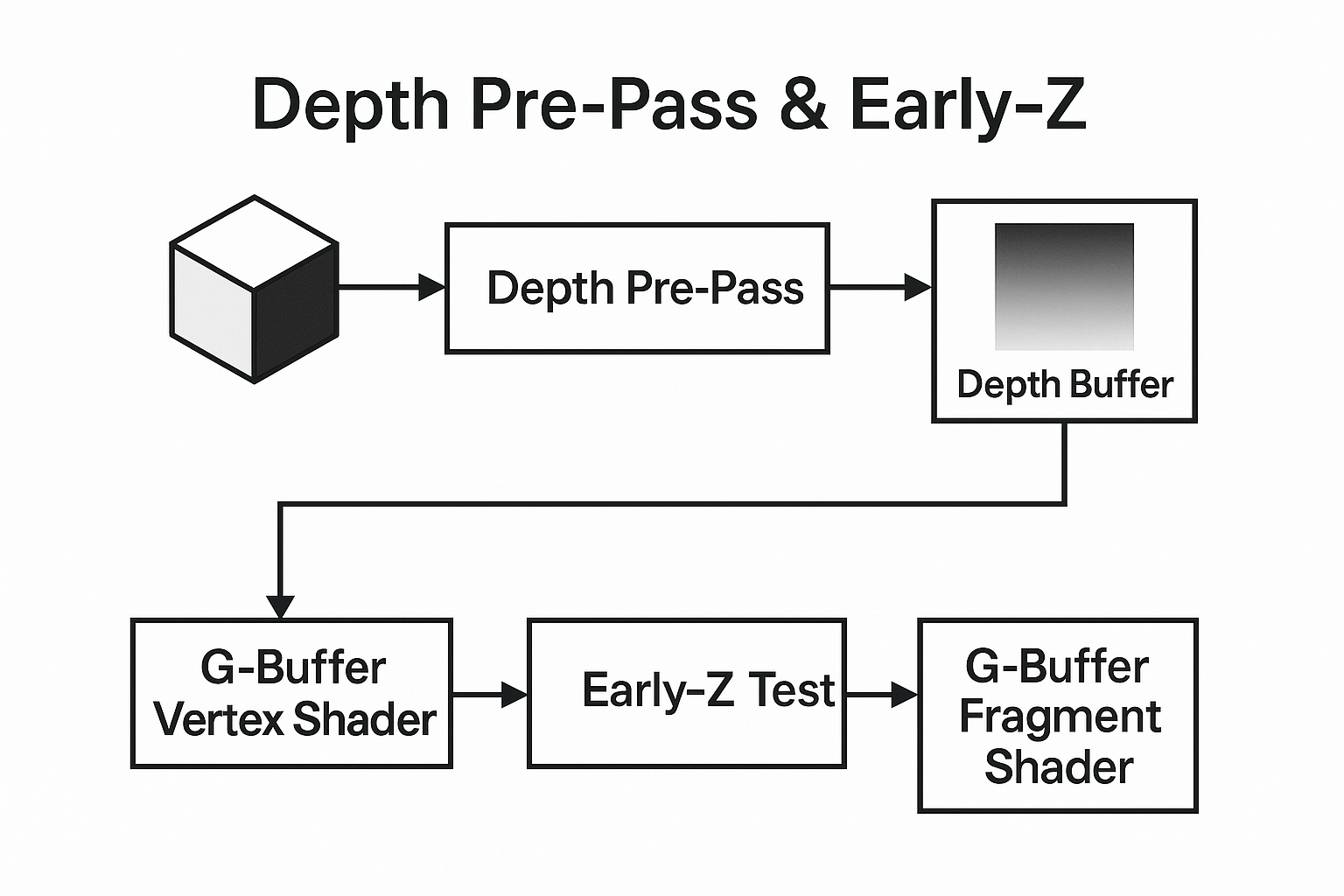
We may have heard of these keywords: Depth Pre-Pass and Early-Z. But what situations do we actually need them for?
Overdraw
When rendering a complex 3D scene, multiple fragments may map to the same pixel on the screen — for example, when one object is in front of another. The GPU will still execute the fragment shader for each layer of geometry, even though only the nearest fragment is visible in the final image.
This redundant work is called overdraw.
Excessive overdraw wastes both fill rate and shader computation resources, especially in scenes with heavy pixel shading (e.g., complex lighting or post-processing).
Minimizing overdraw is one of the key goals of any rendering optimization strategy.
The Depth Buffer
The depth buffer (Z-buffer) keeps track of the closest depth value written for each pixel so far.
When a new fragment is processed, the GPU compares its depth with the stored value to decide whether it’s visible (passes the depth test) or hidden (fails the depth test).
- If Depth Test Passes → the fragment is drawn, and the depth buffer is updated.
- If Depth Test Fails → the fragment is discarded before writing to the color buffer.
However, the key question is when this depth comparison happens relative to fragment shading — and this is where Early-Z and Depth Pre-Pass come into play.
Early-Z
Modern GPUs implement Early-Z rejection, meaning the depth test can be performed before the fragment shader runs.
If a fragment fails the test (i.e., it’s behind something already drawn), the GPU can skip executing the pixel shader entirely.
This saves a huge amount of computation, especially with expensive fragment programs.
But Early-Z has some caveats:
- It only works if the fragment shader doesn’t modify the depth value or use discard/alpha-test operations that could change visibility.
- Certain rendering states (e.g., blending, alpha testing) may force the GPU to disable Early-Z to maintain correct visual output.
In short: Early-Z works automatically when your shaders are “simple” — i.e., they don’t interfere with depth writes or discards.
To enable Early-Z explicitly in Vulkan, just add one line to your fragment shader:
| |
Depth Pre-Pass
The Depth Pre-Pass (also known as Z-Pre-Pass) is an explicit two-pass rendering strategy:
- First pass: Render all opaque geometries from front to back writing only to the depth buffer (no color writes, minimal shader).
- Second pass: Render the same geometries in the same order again, this time using full fragment shading but with depth testing enabled and depth writes disabled.
Since the depth buffer now contains the nearest surfaces, most fragments that would be hidden are immediately rejected in the second pass.
This ensures that the heavy fragment shaders run only on visible pixels.
Depending on which render path you are using, the second pass could be a G-buffer pass, a V-Buffer pass, or a lighting pass.
NOTE
Why render in front-to-back order?
Because we only care about the nearest visible surfaces.
By drawing the objects closer to the camera first, fragments from objects behind them will often fail the depth test and get skipped early, which significantly improves rendering performance.
Advantages
- Greatly reduces shading cost in high overdraw scenes.
- Consistent performance regardless of scene complexity.
- Works even when Early-Z is disabled due to complex shaders.
Disadvantages
- Doubles the geometry workload (you render everything twice).
- May not be worth it for scenes that are vertex-heavy or have low overdraw.
- Requires good batching to avoid CPU bottlenecks.
When to Use Which
| Scenario | Early-Z | Depth Pre-Pass |
|---|---|---|
| Simple opaque materials | ✅ Enabled automatically | 🚫 Not needed |
| Heavy fragment shaders with high overdraw | ⚠️ May be disabled | ✅ Beneficial |
| Alpha-tested materials (e.g., foliage) | 🚫 Often disabled | ⚠️ Sometimes helpful |
| Deferred rendering path | ⚙️ Partially effective | ✅ Commonly used |
In modern engines, many rendering pipelines dynamically decide whether to use a Depth Pre-Pass depending on the scene’s overdraw ratio and shader cost. For example, Unity and Unreal Engine enable it automatically for certain passes like deferred G-buffer generation or shadow casters.
Summary
- Early-Z is a hardware feature that automatically skips hidden fragments when possible.
- Depth Pre-Pass is a manual rendering technique to guarantee that only visible fragments run expensive shaders.
- Both aim to reduce overdraw, improving frame rate and GPU efficiency.
Understanding how and when to leverage these can make a big difference in the performance of your renderer — especially in scenes with dense geometry or complex shading pipelines.
How did libvultra integrate them
- Sort all opaque geometries from front to back
- Depth Pre-Pass: Draw all sorted opaque geometries, only write depth values.
- G-Buffer Pass:
- Draw all sorted opaque geometries with Early-Z enabled, depth test only, no depth write.
- Draw other geometries with Early-Z disabled, depth test + depth write.
https://github.com/zzxzzk115/libvultra/commit/2582ba27e27fbd0cc165ba9423b41f972e5affe6