本文最初发表于我在博客园的旧博客:[转载]Pocketchip 开启 OpenGL 硬件加速,性能大提升!(写于 2020-04-14)。
此篇为转载内容,经过转载许可。原文地址:
https://www.xuefei.net.cn/index.php/archives/89/(原站已关闭,可查看 Wayback Machine 存档)作者:xuefei · 时间:2020-04-14 · 分类:pocketchip
安装依赖:
sudo apt-get install cmake
sudo apt-get install libx11-dev
编译 gl4es:
git clone https://github.com/ptitSeb/gl4es.git
cd gl4es
mkdir build
cd build
cmake .. -DCHIP=1 -DCMAKE_BUILD_TYPE=RelWithDebInfo
# -j2 不加了,易报内存不够
make
替换系统的 libGL:
cd ../
cd lib/
sudo mv libGL.so.1 /usr/lib/arm-linux-gnueabihf/libGL.so.1.2.0
如果之前安装了 xf86-video-fbturbo(原文链接已随原站失效),请先禁用:
sudo nano /etc/X11/xorg.conf把 fbturbo 的设备段注释掉:
#Section "Device"
#        Identifier      "Allwinner A10/A13 FBDEV"
#        Driver          "fbturbo"
#        Option          "fbdev" "/dev/fb0"
#        Option          "SwapbuffersWait" "true"
#EndSection
然后重启,再测试:
sudo apt-get install mesa-utils
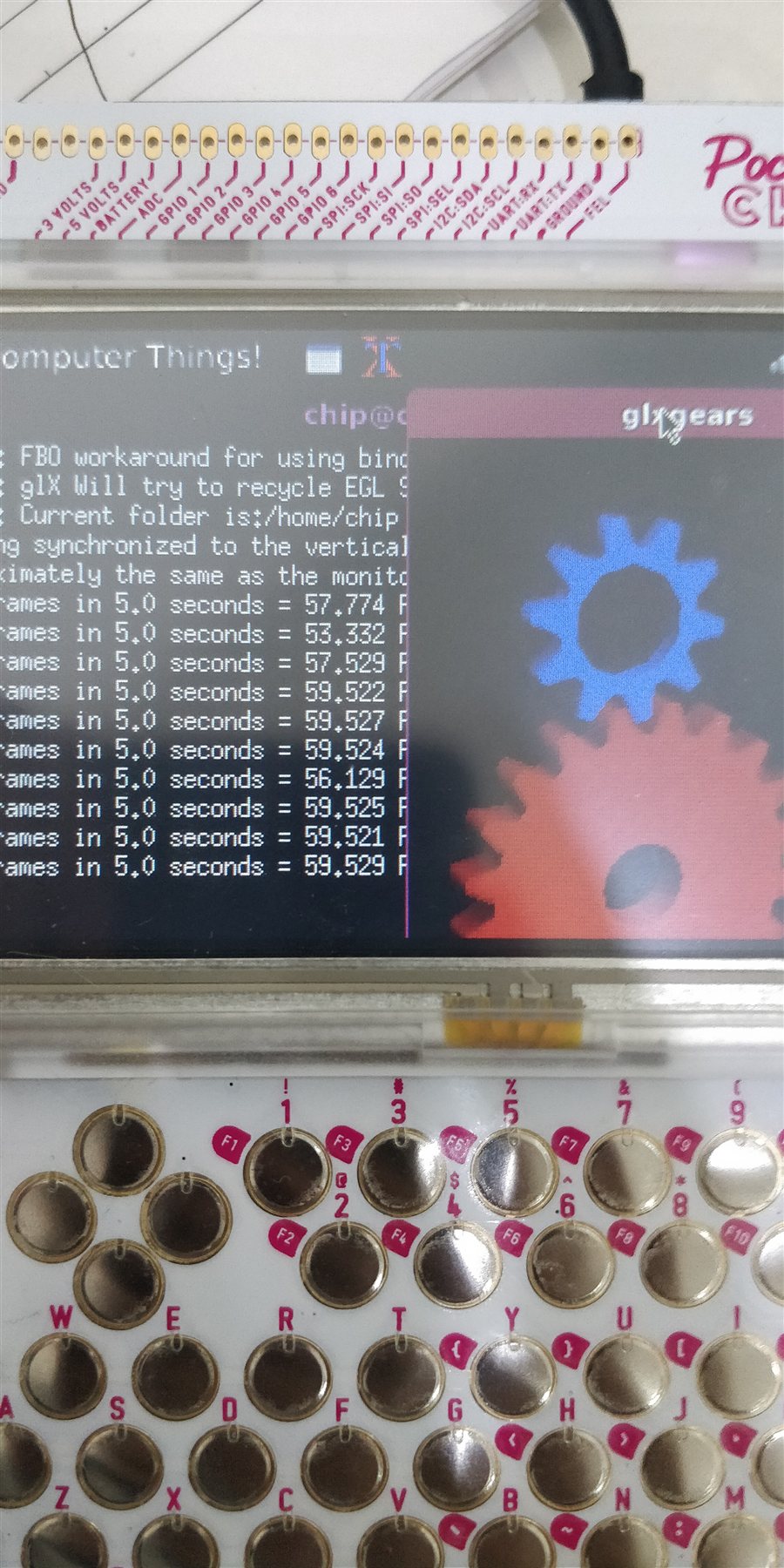
glxgears
如果是 GUI 版会看到下图,如果是 home 版可能看不到齿轮,因为窗口太大……
相关地址:
- https://github.com/ptitSeb/gl4es
- https://forum.armbian.com/topic/1420-opengl-on-mali-gpu-bananapi-orangepi-pc-etc/
标签:PocketChip、硬件加速、opengl
2022/05/12 从博客园迁移至此。
留言