This post was translated from the original with AI assistance. Read the original
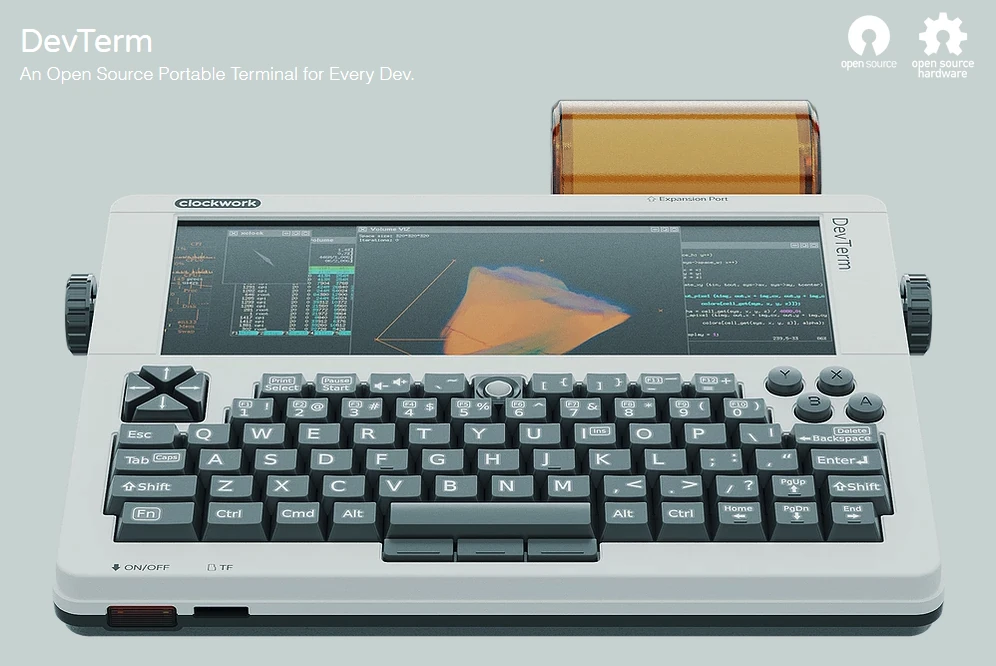
DevTerm is a post-modern, digital, minimalist way of life. At the size of a sheet of A5 paper, it combines full PC functionality with retro style: a 6.8-inch ultra-wide screen, a classic QWERTY keyboard, the essential ports, high-speed wireless connectivity, long battery life, and even a handy thermal printer.
DevTerm is now up for pre-order on the Clockwork website, with shipping expected to start before April 2021.
Introduction#
The moment I first saw it (DevTerm), I’d already decided where my scholarship money was going. Just like last time, when I bought a GameShell the instant I laid eyes on it, it was love at first sight with DevTerm too. Clockwork’s products manage to surprise me every single time.
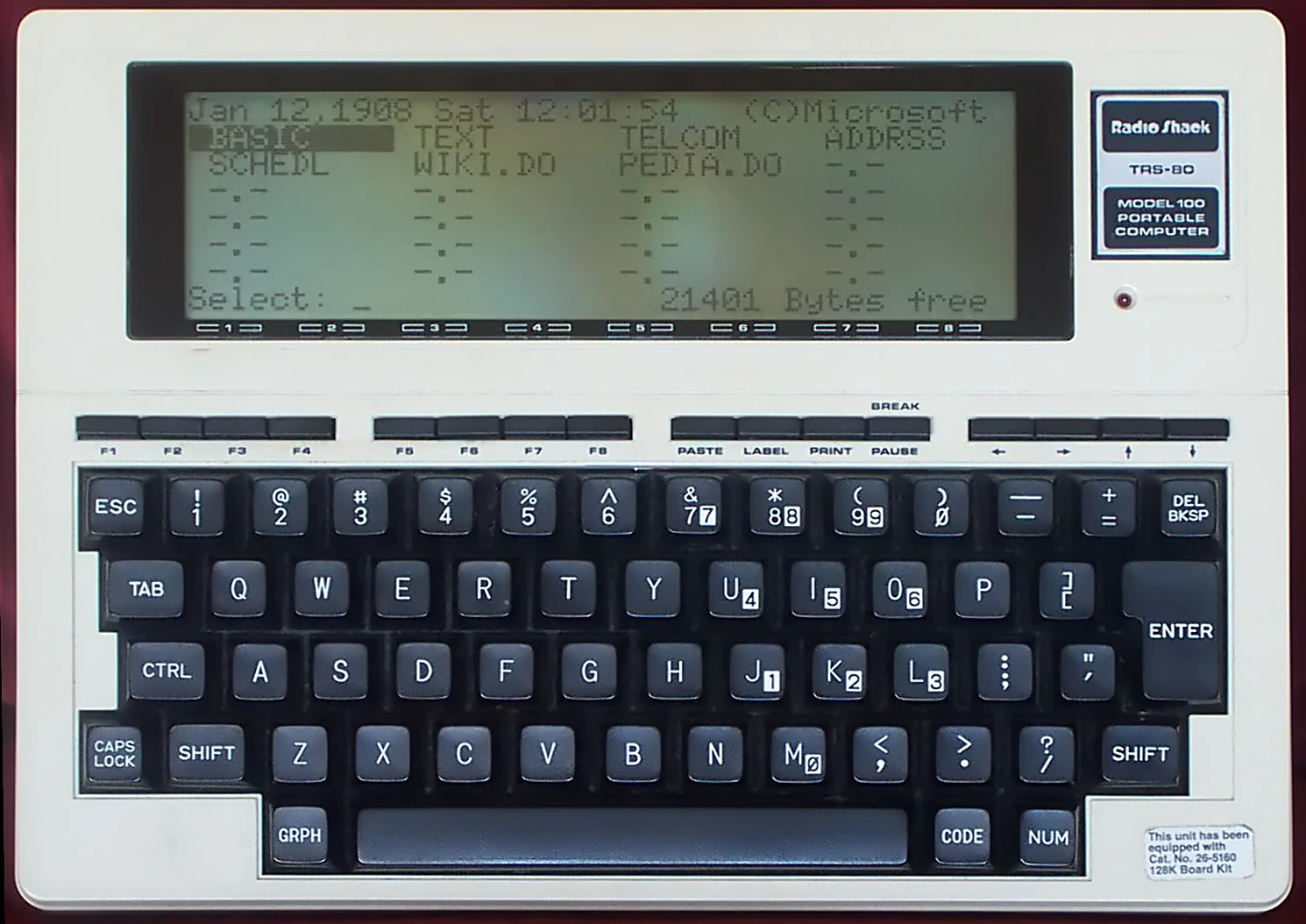
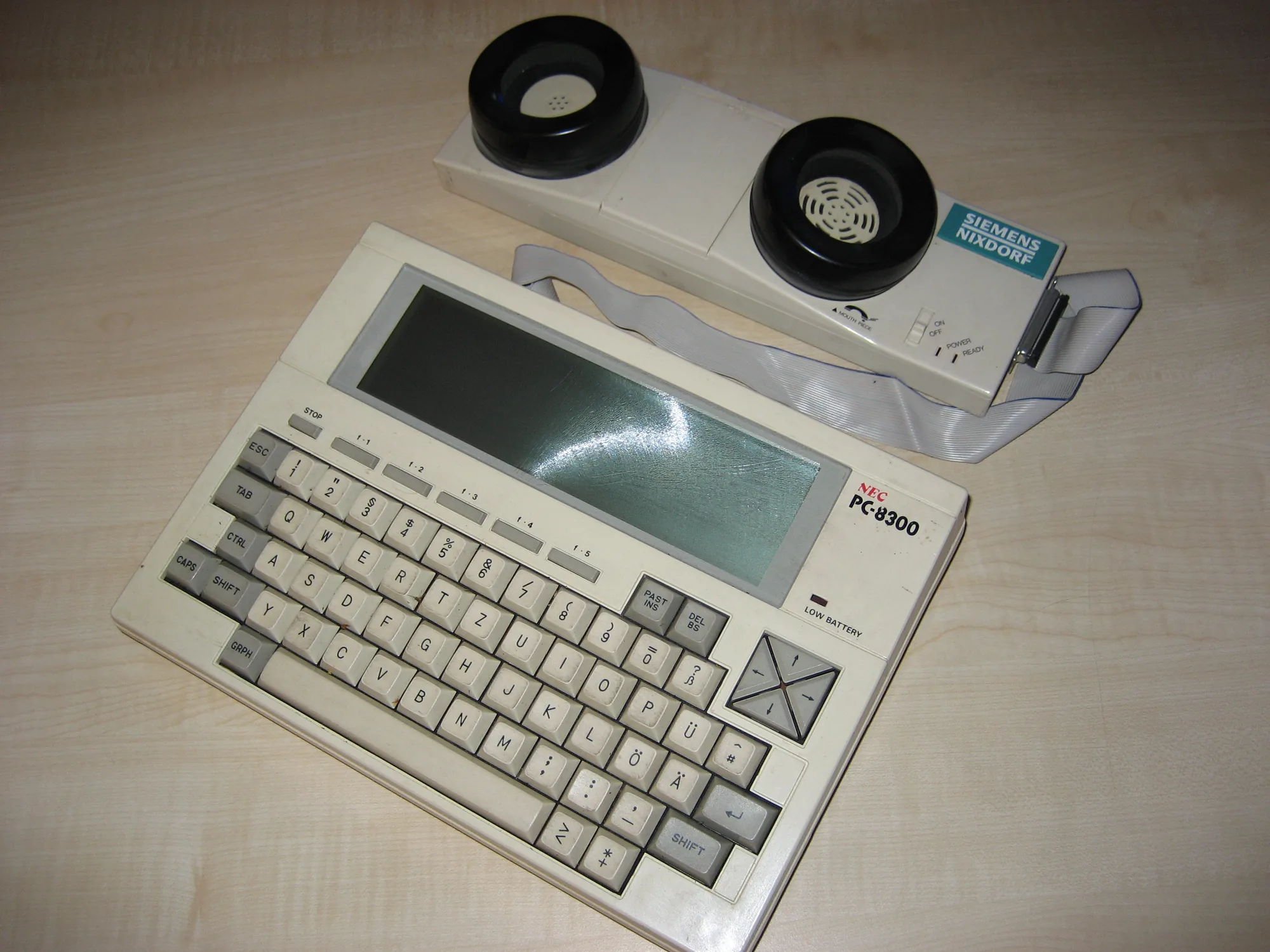
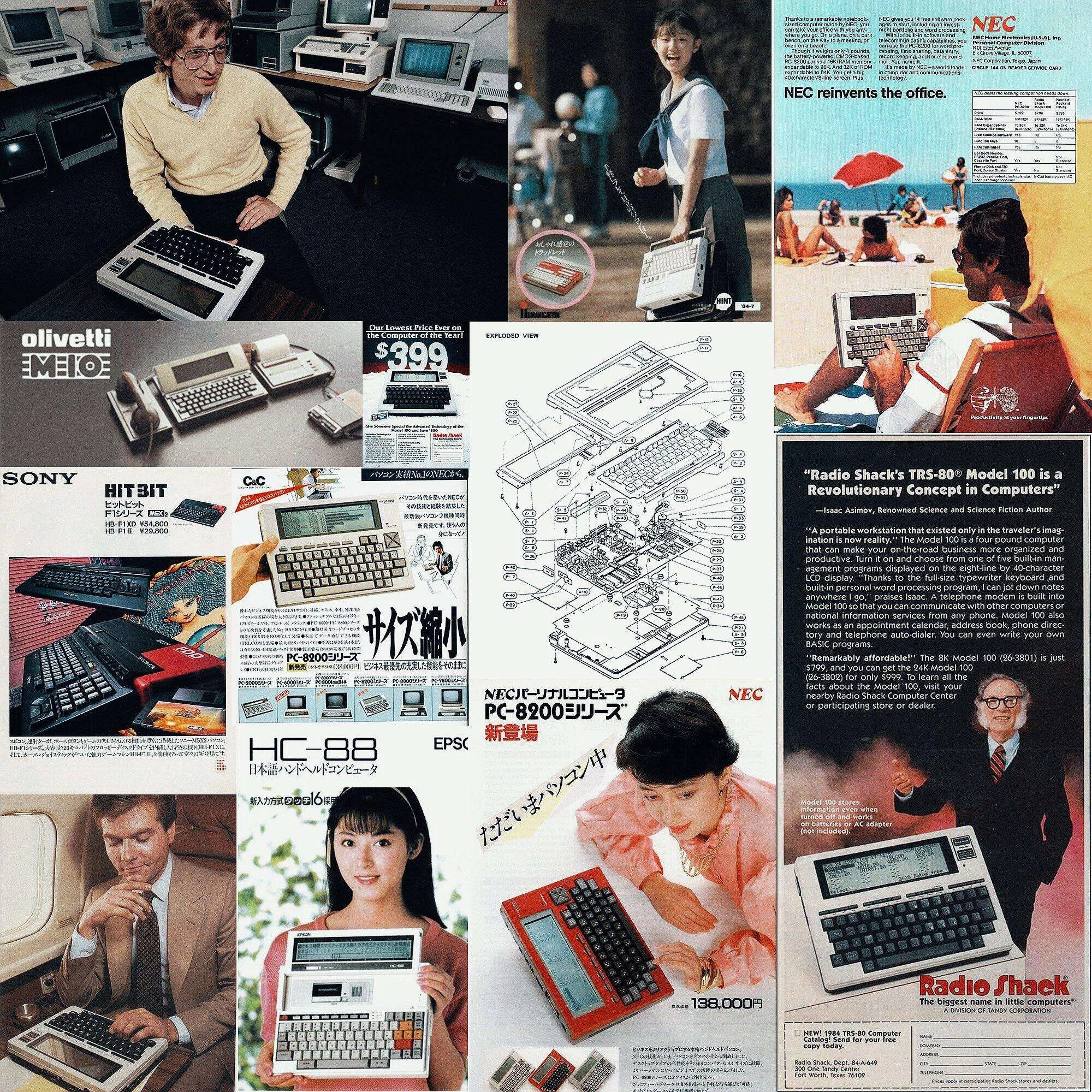
I’d guess its design was mostly inspired by the TRS-80 Model 100 and the NEC PC-8200, 8300 and so on, and partly by other similar machines (see the pictures):
TRS-80 Model 100
NEC PC-8300
Some MiniPCs from the last century
About the TRS-80 Model 100, Bill Gates said something to the effect that it was the last machine he personally wrote a large share of the code for, which shows how fond of it he was.
For more details on the TRS-80 Model 100, check out this article: The world’s first laptop
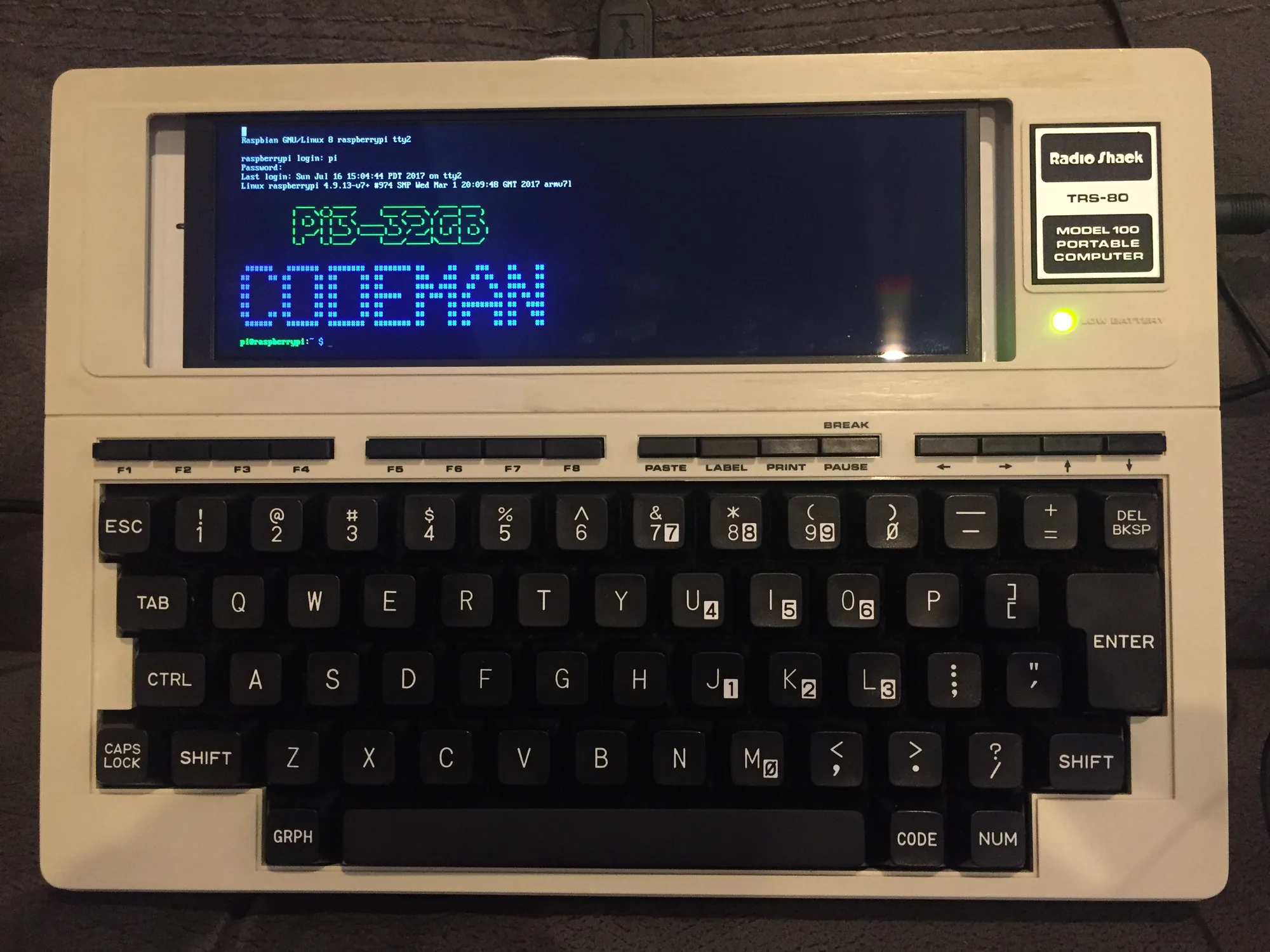
I think DevTerm may have been sparked by a post on the Raspberry Pi forums: https://www.raspberrypi.org/forums/viewtopic.php?t=188635
The poster DIY’d a MiniPC you can actually type on, using a TRS-80 Model 100 + a Raspberry Pi 3 + a widescreen display:
OK, back to the topic.
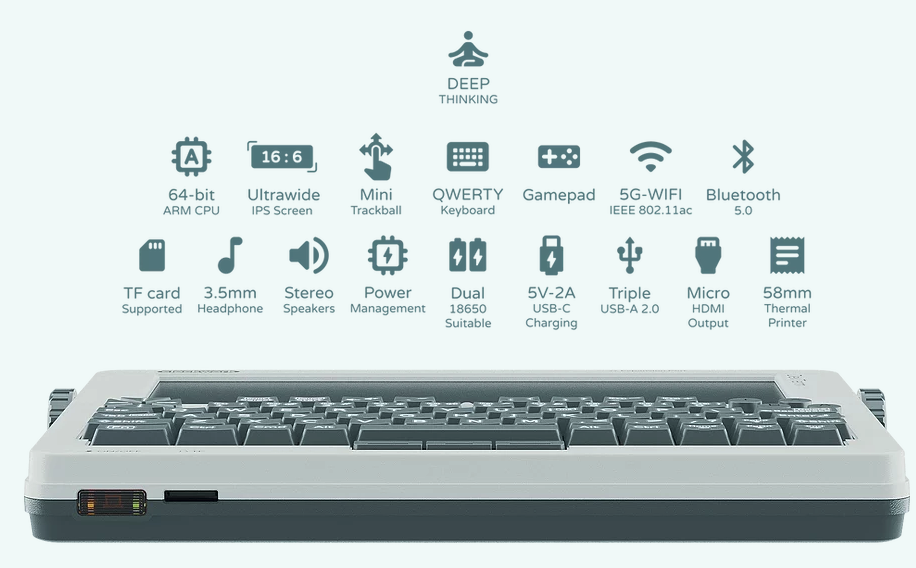
As you can see, the new DevTerm has a bit in common with the GameShell, but it also brings plenty of new features and ways to play.
First, its CPU has moved to a 64-bit ARM CPU, which lets a lot more software run.
Then there’s the 16:6 (1280*480) widescreen, which is equivalent to two 4:3 (640*480) retro screens side by side. That keeps the retro feel while showing more content, and it also gives NDS emulators a better display.
What pleasantly surprised me is that it uses a design similar to the ThinkPad’s TrackPoint (the little red cap), which makes mouse control simple and user-friendly: no more plugging in a USB mouse, and no awkward, space-hogging touchpad.
It inherits the GameShell’s features with a D-pad and ABXY buttons, so it can still be a retro gaming device.
The 5G WiFi module is way better than the GameShell’s 2.4G WiFi module, and Bluetooth 5.0 makes talking to Bluetooth devices simple and fast.
A TF card slot, a 3.5mm audio jack and stereo speakers are all standard.
The one real difference is that it’s powered by two 18650 lithium batteries. I’m not sure why they went with this design. A tribute to the TRS-80 Model 100??? Or maybe to make it easier to take on planes??? Not that it matters. Two 18650s give you up to roughly 7000mAh, and since it’s easy to carry several spare batteries, the battery life is pretty impressive.
The charging port is no longer Micro-USB; this time it charges over USB-C, so you only need to carry one cable instead of bringing both a Type-C and a Micro-USB cable every time.
There are 3 USB-A ports for other USB connections, so it’s easy to hook up lots of USB devices.
The Micro-HDMI port lets it output the screen to an external monitor.
The most delightful surprise is that it has a small thermal printer (top right) for simple printing. That has a real retro vibe to it, haha.
What you can do with it#
Naturally, pretty much anything an ARM Linux PC can do, it can do.
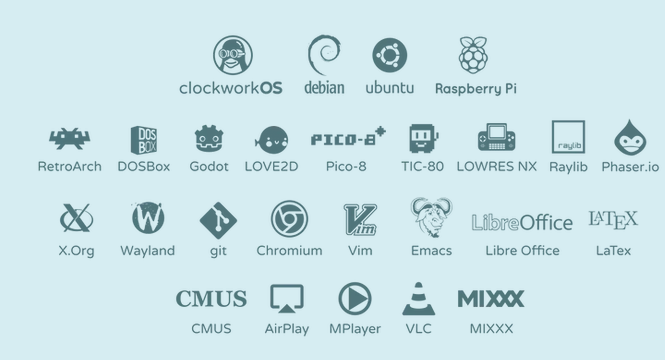
Supported operating systems currently include clockworkOS, Debian, Ubuntu, Raspberry Pi, etc.
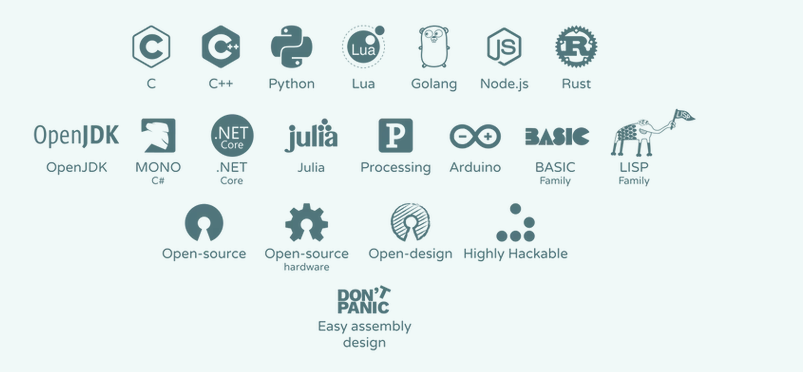
On top of that, it supports all the open-source gaming platforms the GameShell supported, and beyond that it supports more desktop PC applications: you can use it to browse the web, write code, write documents, watch videos and so on.
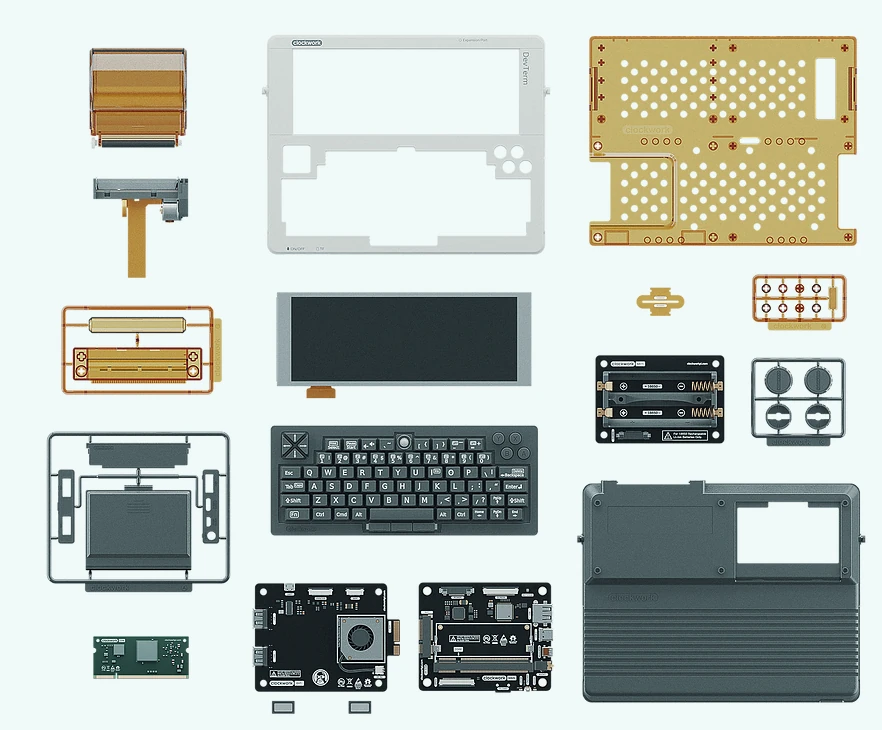
It also uses a modular design, so you can easily change and swap modules and do your own DIY.
Hardware#
Mainboard#
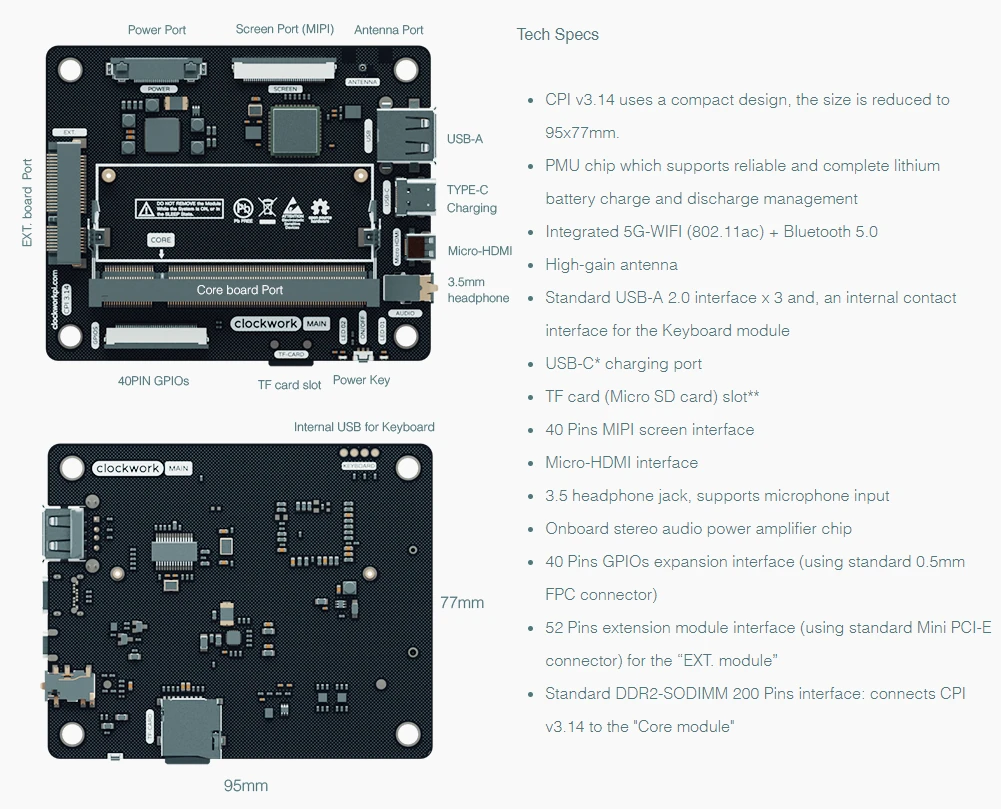
The new mainboard lets you plug in different core modules, for example a Raspberry Pi CM3 module, or the A04 and A06 modules from Clockwork.
The mainboard’s specs are spelled out clearly in the picture; WiFi and Bluetooth are both onboard.
The new mainboard is highly integrated and has every port it should, truly packing big functionality into a small size.
Core Module#
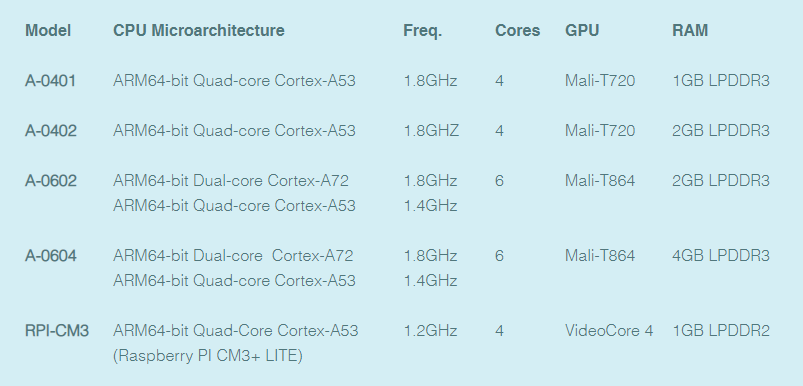
The specs of all the core modules at a glance.
The A-0401 and A-0402 differ only in RAM: one has 1GB, the other 2GB. The A-04 series and the Raspberry Pi CM3 are both in the lower performance tier (lower relative to the A-06; in practice they’re already pretty decent).
The A-0602 and A-0604 likewise differ only in RAM: one has 2GB, the other 4GB. The A-06 series uses ARM’s big.LITTLE technology, which aims to assign the right processor to the right job. In other words, the OS automatically decides which cores handle a job. For example, if you’re playing a 3D game, the OS puts the load on the Cortex-A72, while other less demanding jobs are handled by the Cortex-A53.
Of course, the higher-spec A-06 is naturally a bit more expensive.
Extension Module#
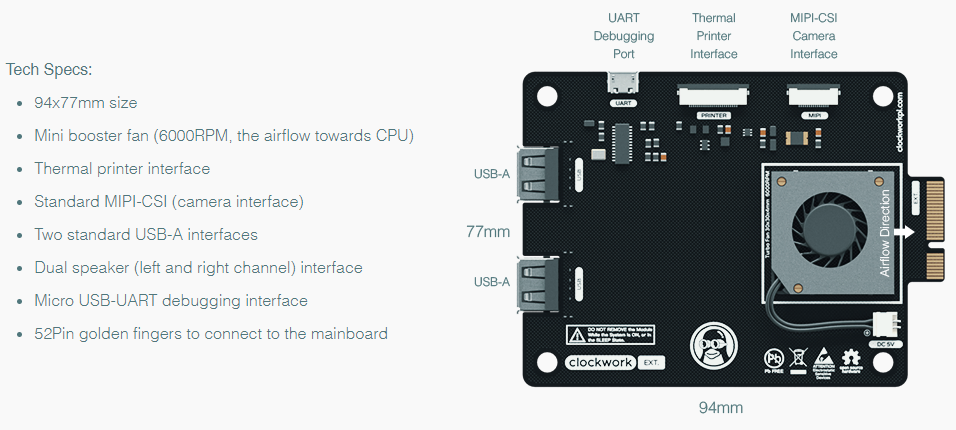
The extension module adds extra ports and houses a fan module.
As you can see, the extension module has 2 USB-A ports, a UART serial debug port, a thermal printer port and a MIPI-CSI camera port.
(Seeing this gave me an idea: install a camera module on the extension camera port, take photos and print them with the thermal printer, haha.)
All the hardware is officially open source, so the extension board’s potential is limitless. Some expert might well make a 4G/5G module or other modules and have new PCBs made. Then the ways to play with DevTerm will probably be things you’d never have thought of.
Keyboard#
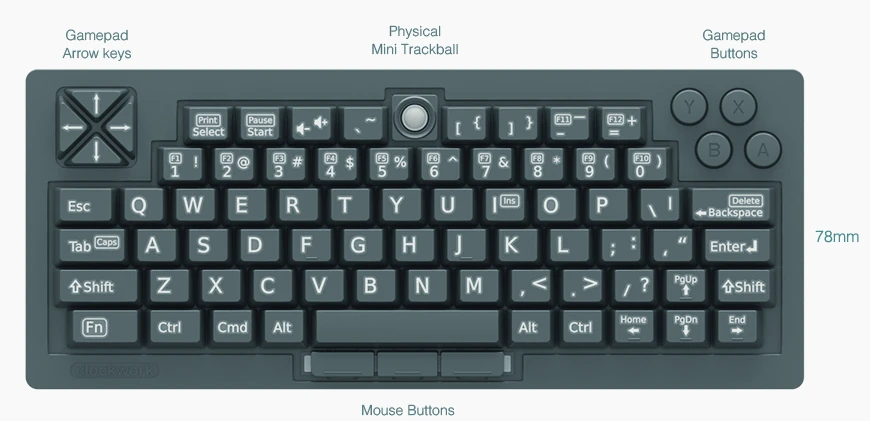
A 65% QWERTY keyboard with a D-pad and ABXY, plus a TrackBall and three mouse buttons, so DevTerm can run regular PC software normally.
It’s also Arduino-based, so you can use the Arduino IDE to change its key mapping or add more features. And if that’s still not enough, you can build your own keyboard; after all, the 3D-printing files and all the hardware schematics are open source.
Modularity#
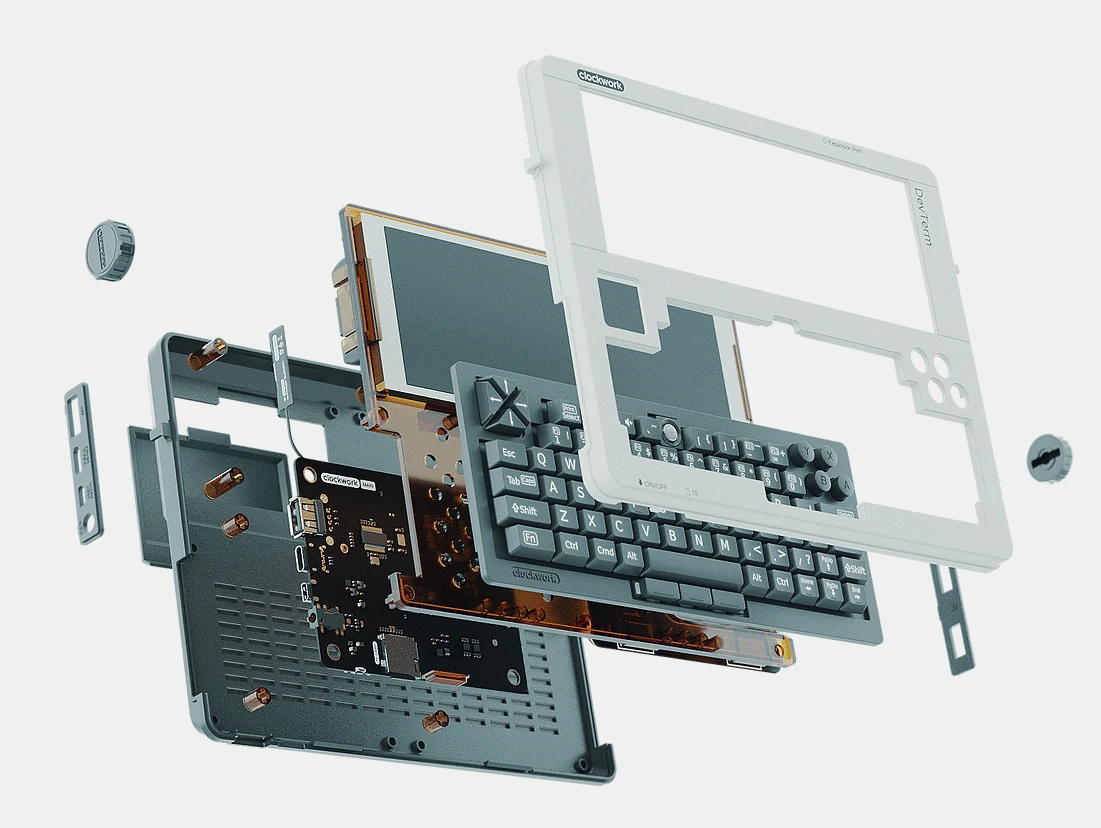
DevTerm’s modular design and almost fully open-source materials make it a device that’s easy to extend and easy to DIY. It’s not aimed at ordinary users; it’s mainly aimed at geeks, designers, gamers, retro enthusiasts and the like.
Price#
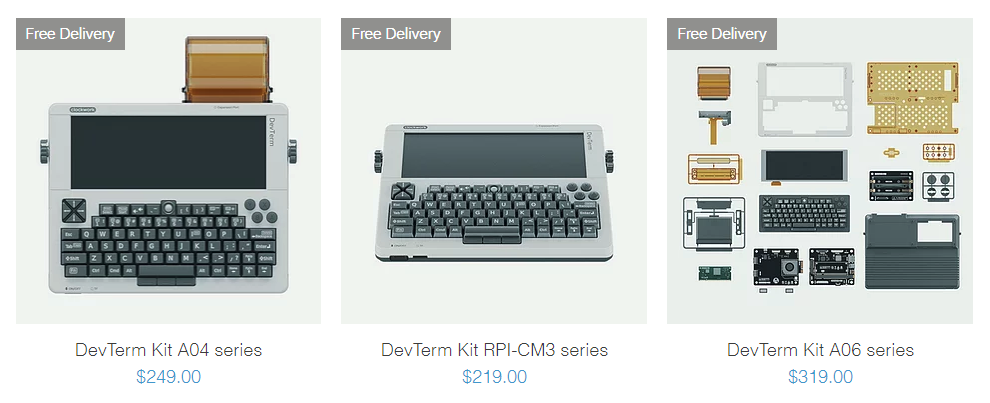
The price is fairly acceptable: roughly 2000 (CNY) gets you the top spec.
If you didn’t truly love it, who’d go on a splurge like this?
Summary#
DevTerm is an open-source device with huge potential, a product that genuinely embodies the open-source spirit. It’s also something of a tribute to the MiniPCs of the last century, with a form factor similar to the TRS-80 Model 100 or NEC PC-8300 but the powerful specs of a modern ARM Linux PC. Maybe the design team really loves the TRS-80 Model 100 or the NEC PC-8300, and maybe it’s exactly Clockwork’s sense of nostalgia and open-source spirit that won me, and others, over.
It’s not aimed at ordinary users; it’s more for professional tinkerers like me. If you also love tinkering, love Linux and love DIY, I’d recommend keeping an eye on it. If you just want to play games, I’d suggest passing on it; after all, it isn’t cheap.
Word on the grapevine is that a Kickstarter crowdfunding campaign will launch soon, so let’s look forward to it!
Comments