This post was translated from the original with AI assistance. Read the original
Before we got to know the .NET Framework, we’d already seen all kinds of DLL files. They might have been compiled from C++.
After getting to know the .NET Framework, we learned that an assembly can be exported as a DLL file.
Both have the .DLL extension, so are there differences and connections between a dynamic link library (DLL) and a .NET Framework assembly?
Dynamic Link Library (DLL)#
The Concept of a DLL#
A Dynamic Link Library (DLL) is a library containing code and data that can be used by multiple programs at the same time. For example, in the Windows operating system, the Comdlg32 DLL performs functions related to common dialog boxes. Therefore, each program can use the functionality contained in this DLL to implement an Open dialog box. This helps promote code reuse and efficient memory usage.
By using a DLL, you can modularize a program into separate components. For example, an accounting program might be sold by module. If a module is installed, each module can be loaded into the main program at run time. Because the modules are separate, the program loads faster, and a module is only loaded when its functionality is requested.
In addition, updates are easier to apply to each module without affecting other parts of the program. For example, you might have a payroll program where the tax rate changes every year. When these changes are isolated to a DLL, you can apply the update without having to rebuild or reinstall the entire program.
Advantages of DLLs#
Uses fewer resources
When multiple programs use the same function library, a DLL can reduce the duplication of code loaded on disk and in physical memory. This can significantly affect not only the program running in the foreground, but also the performance of other programs running on the Windows operating system.
Promotes a modular architecture
DLLs help promote the development of modular programs. This helps you develop large programs that require multiple language versions, or programs that need a modular architecture. An example of a modular program is an accounting program with multiple modules that can be dynamically loaded at run time.
Simplifies deployment and installation
When a function in a DLL needs an update or a fix, deploying and installing the DLL doesn’t require relinking the programs that use the DLL. In addition, if multiple programs use the same DLL, they all benefit from the update or fix. This issue may occur more often if you use a third-party DLL that is updated or fixed regularly.
DLL Dependency Issues and DLL Hell (DLL Conflicts)#
When a program or DLL uses a DLL function in another DLL, a dependency is created. As a result, the program is no longer self-contained, and it may run into problems if the dependency breaks. For example, the program may fail to run if one of the following happens:
- The dependent DLL is upgraded to a new version.
- The dependent DLL is fixed.
- An earlier version overwrites the dependent DLL.
- The dependent DLL is removed from the machine.
These actions are known as DLL conflicts. Without enforced backward compatibility, the program may fail to run successfully.
Assembly#
The Concept of an Assembly#
With the introduction of .NET and the .NET Framework, using assemblies eliminated most of the problems associated with DLLs. An assembly is a logical unit of functionality that runs under the control of the .NET Common Language Runtime (CLR). An assembly physically exists as a .dll file or a .exe file. However, internally an assembly is different from a Microsoft Win32 DLL.
An assembly file contains an assembly manifest, type metadata, Microsoft Intermediate Language (MSIL) code, and other resources. The assembly manifest contains the assembly metadata, which provides all the information needed for the assembly to describe itself. The assembly manifest contains the following information:
- Assembly name
- Version information
- Culture information
- Strong name information
- The list of files in the assembly
- Type reference information
- Information about referenced and dependent assemblies
The MSIL code contained in an assembly cannot be executed directly. Instead, MSIL code execution is managed through the CLR. By default, when you create an assembly, it’s a private assembly for the application. To create a shared assembly, you need to assign the assembly a strong name and then publish it to the global assembly cache.
Features of an Assembly#
Self-describing
When you create an assembly, all the information the CLR needs to run the assembly is contained in the assembly manifest. The assembly manifest contains a list of the dependent assemblies. As a result, the CLR can maintain a consistent set of assemblies used in the application. With Win32 DLLs, you can’t maintain consistency among the set of DLLs used in an application when using shared DLLs.
Versioning
In the assembly manifest, version information is recorded and enforced by the CLR. In addition, version policies let you enforce version-specific usage. With Win32 DLLs, the operating system can’t enforce versioning. Instead, you have to make sure DLLs are backward compatible.
Side-by-side deployment
Assemblies support side-by-side deployment. One application can use one version of an assembly while another application uses a different version. Starting with Windows 2000, side-by-side deployment is supported by looking for DLLs in the application folder. In addition, Windows File Protection prevents system DLLs from being overwritten or replaced by unauthorized agents.
Self-contained and isolated
An application developed with assemblies can be self-contained and isolated from other applications running on the machine. This feature helps you create zero-impact installations.
Execution
An assembly runs under the security permissions provided in the assembly manifest and controlled by the CLR.
Language-independent
You can develop an assembly using any of the supported .NET languages. For example, you can develop an assembly in Microsoft Visual C# and then use it in a Visual Basic .NET project.
Differences and Connections Between DLLs and Assemblies#
Let’s get the answers from actual testing.
Generating a DLL with C++/CLI#
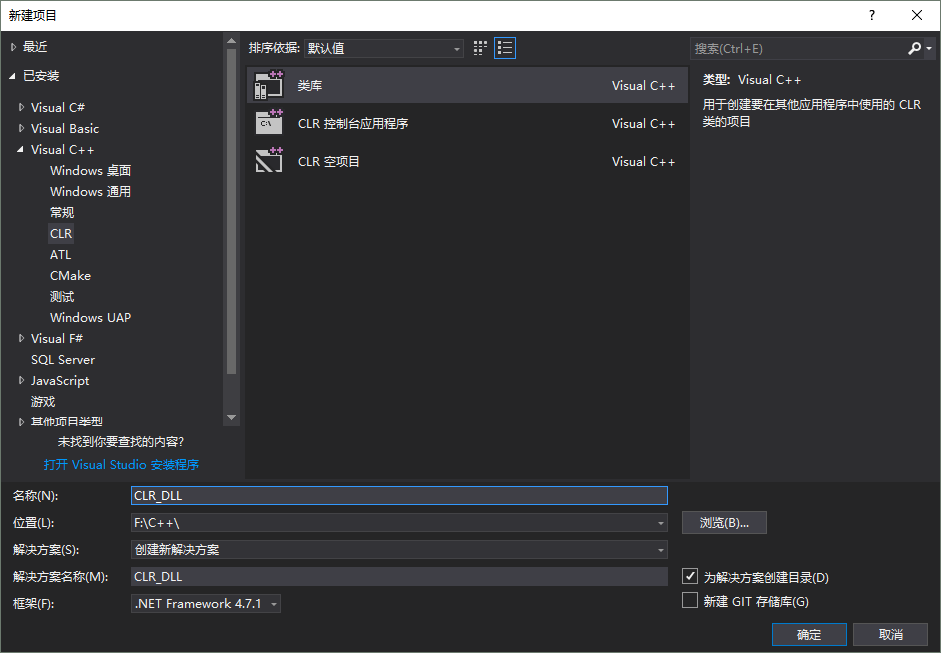
After adding the C++/CLI feature to Visual Studio (use the Visual Studio Installer, Modify, find C++/CLI under C++, check it, and confirm), create a new Visual C++ -> CLR -> Class Library:
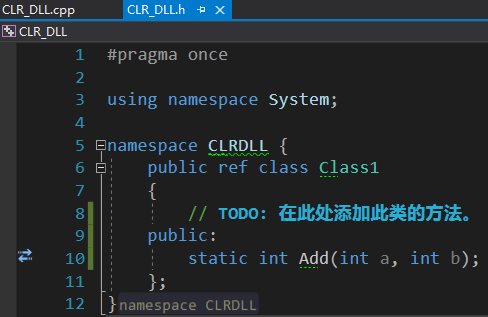
Add an Add method in CLR_DLL.h:
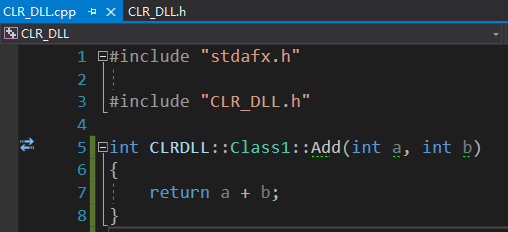
Implement the Add method in CLR_DLL.cpp:
Build the solution to get CLR_DLL.dll:
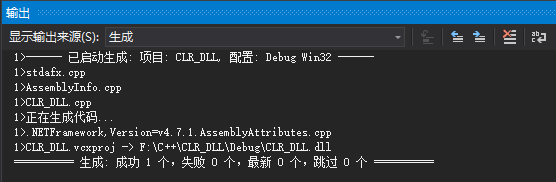
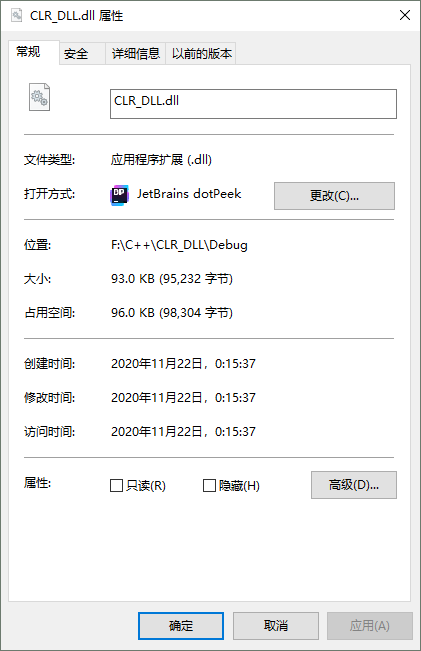
The file size is 95232 bytes. Open the settings to check:
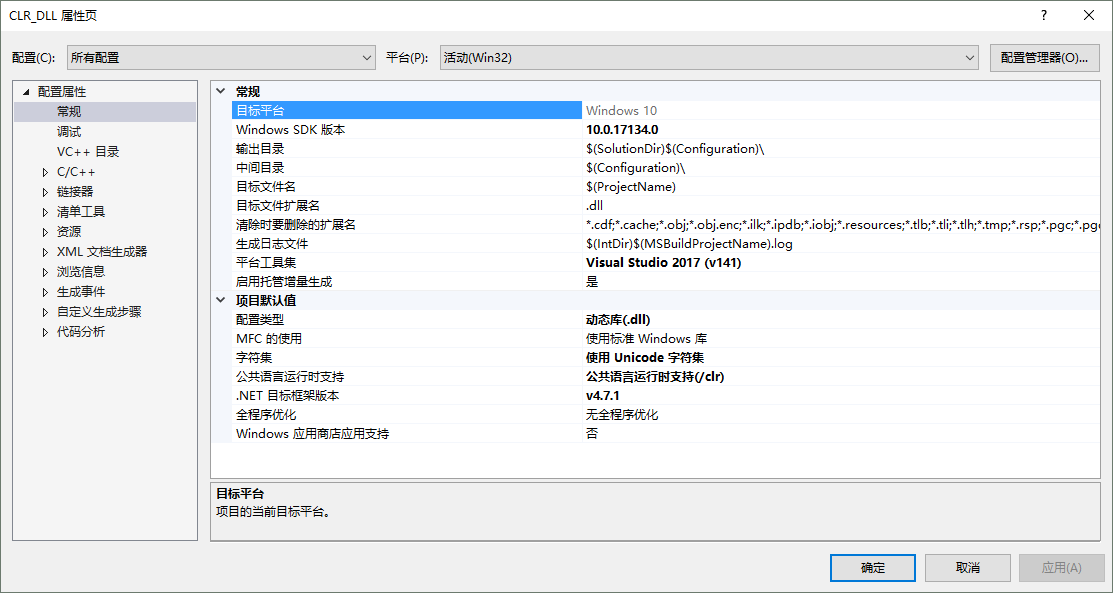
The /CLR switch is enabled.
If you open it with ILDasm.exe:
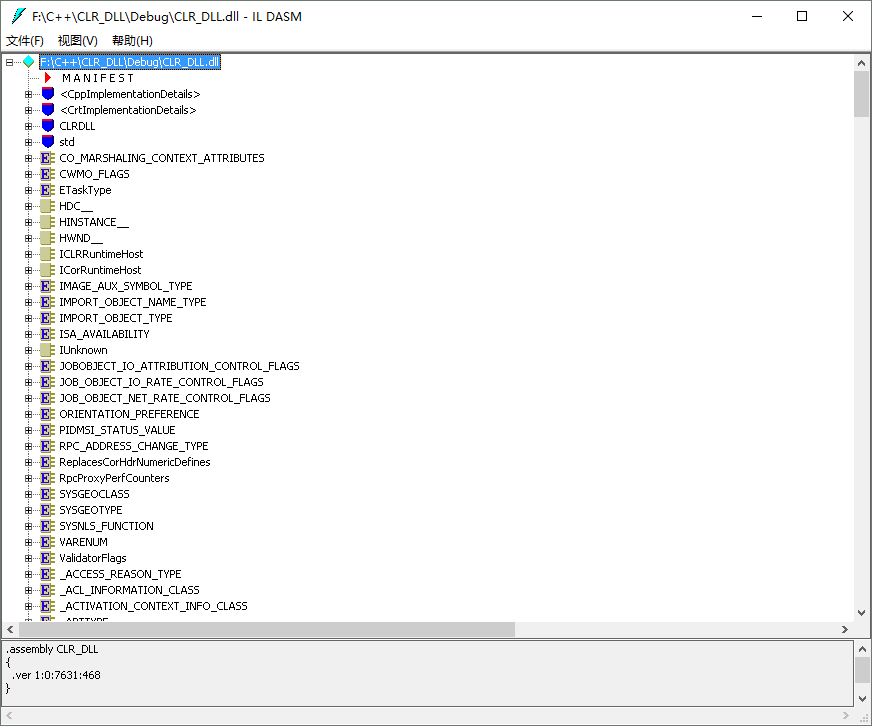
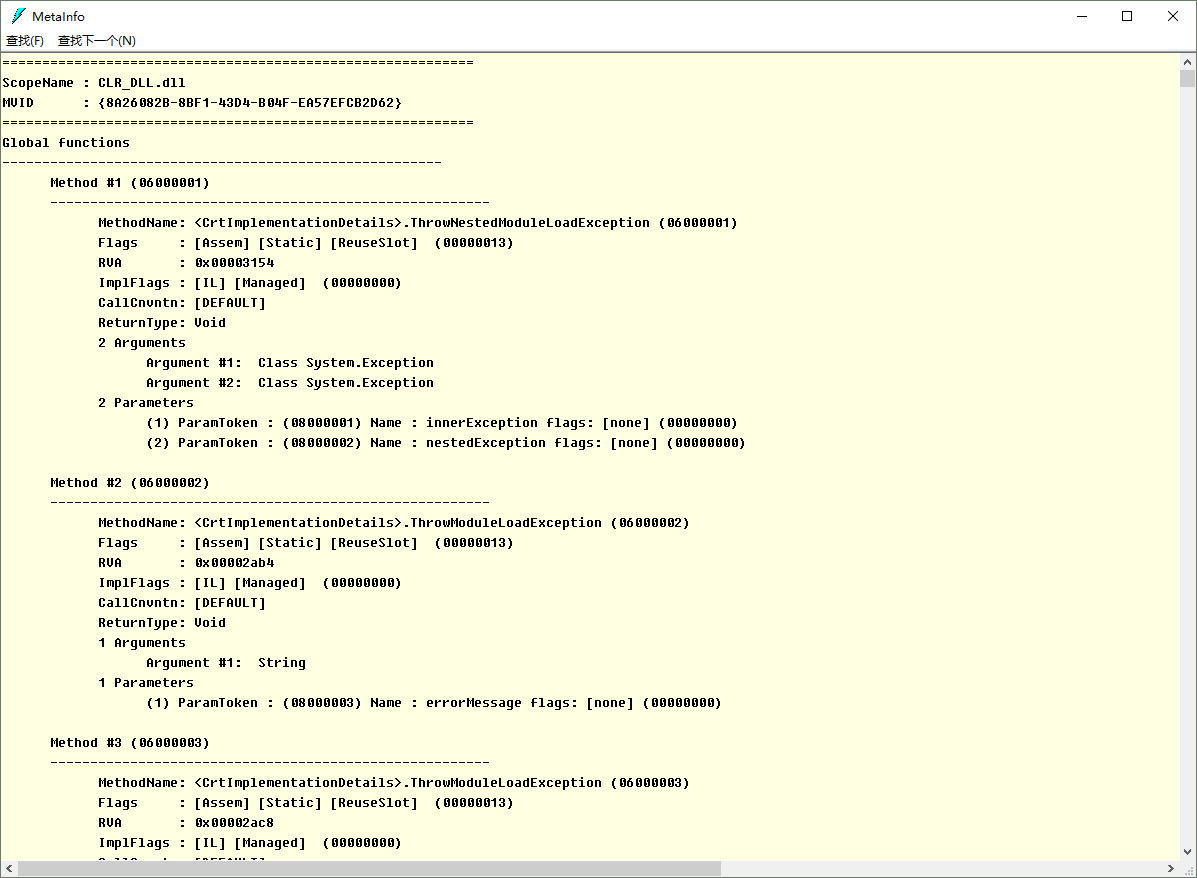
You can view the manifest, metadata tables, headers, and IL code, which shows that this DLL_Test.dll is an assembly.
- The Add method:
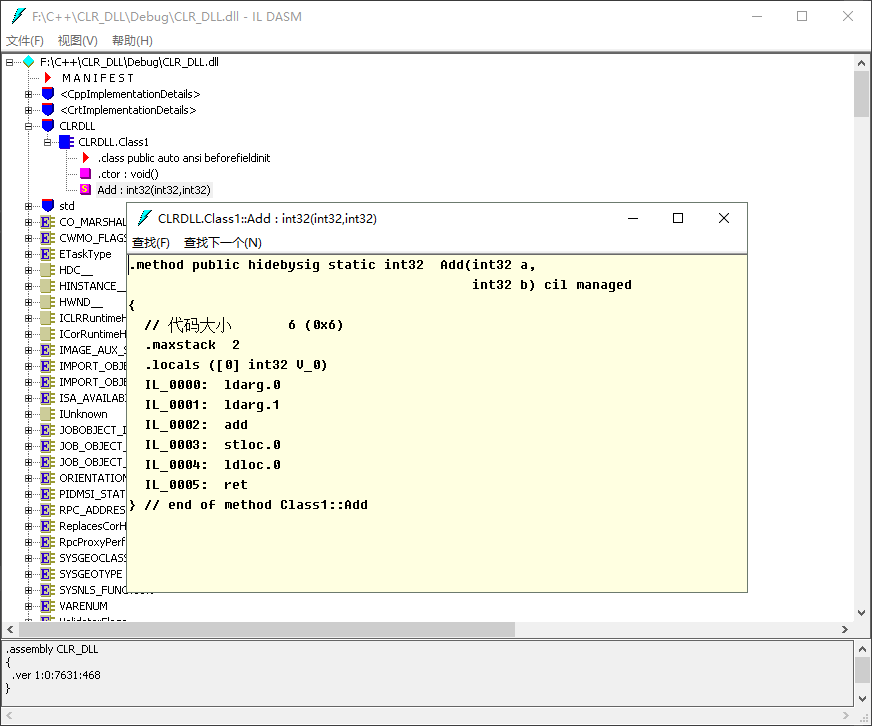
- The metadata tables:
- The headers:
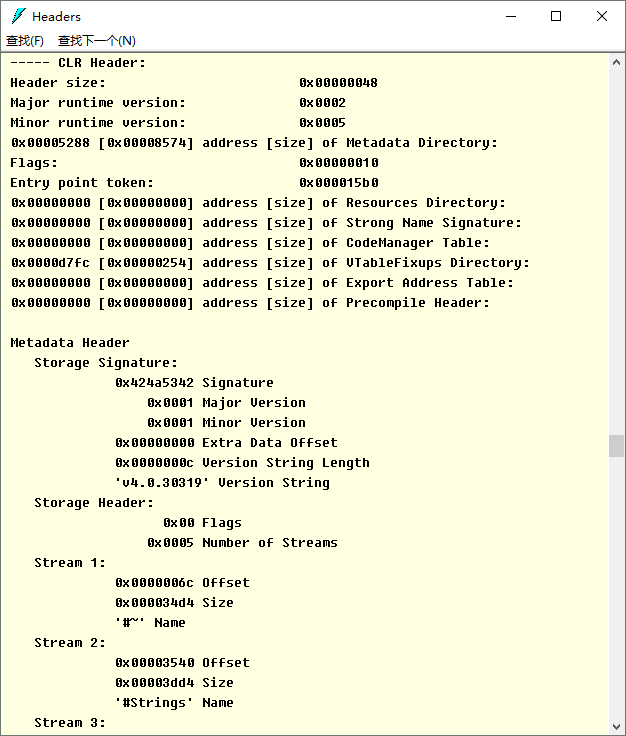
This shows that a DLL file built with the /CLR switch enabled is an assembly.
Generating a DLL with Unmanaged C++#
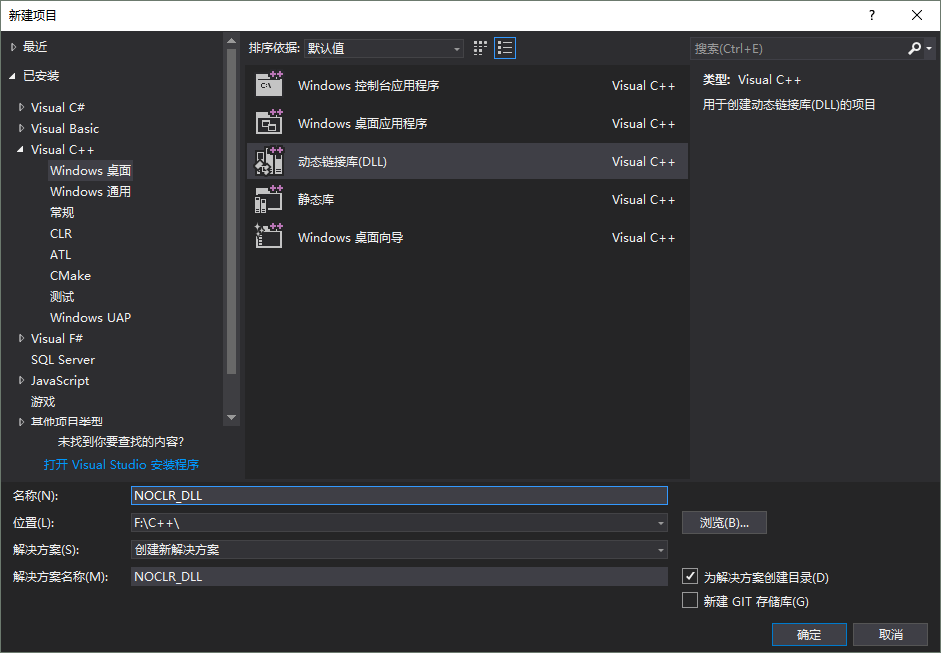
Create a new Visual C++ -> Windows Desktop -> Dynamic-Link Library (DLL):
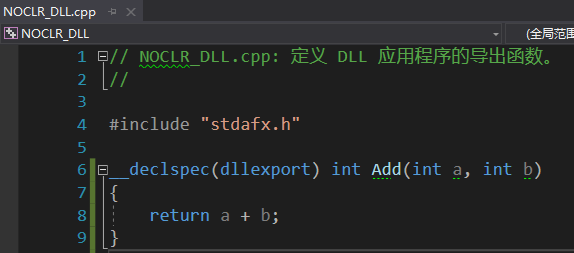
Add an Add method in NOCLR_DLL.cpp:
Build the solution to get NOCLR_DLL.dll:
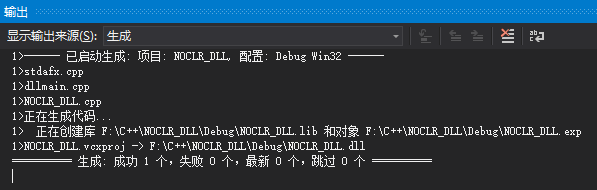
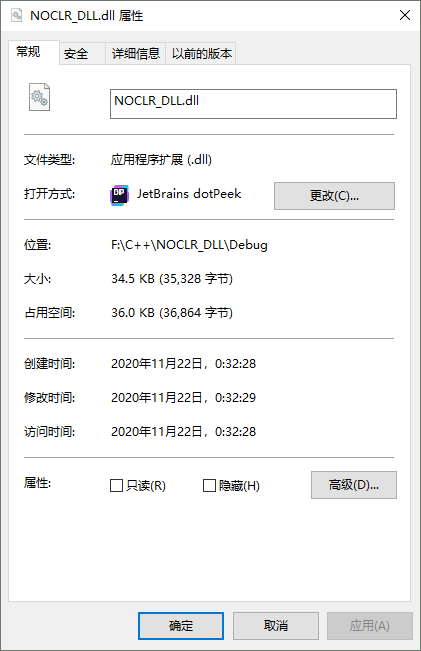
The file size is 35328 bytes. Although the code is roughly the same, the DLL file we got here is noticeably several times smaller than the one compiled by C++/CLI above. Open the settings to check:
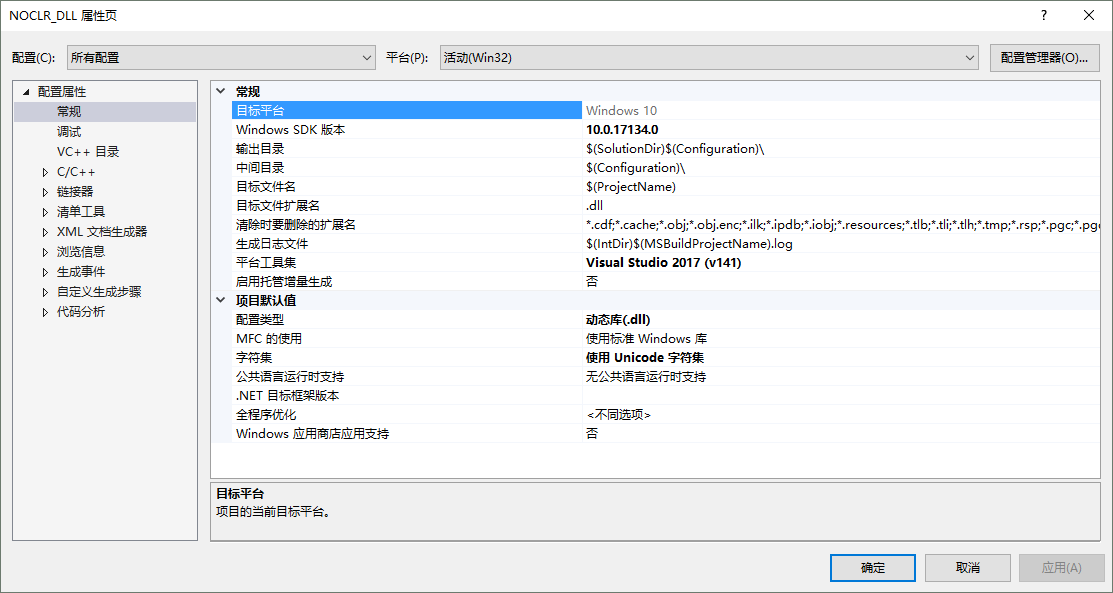
The /CLR switch is not enabled.
If you open it with ILDasm.exe:
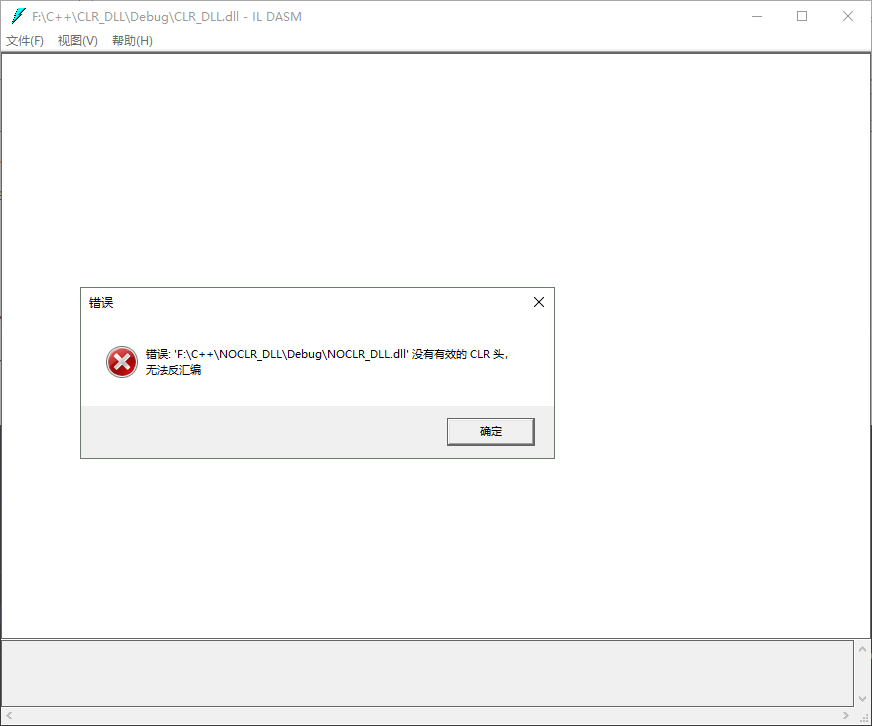
It reports an error, saying there’s no valid CLR header. This is as we expected, because a DLL file generated from unmanaged C++ simply isn’t an assembly; it has no CLR header, no metadata, no IL, no resource files, and so on.
So how does C# call a method in a DLL compiled by C++/CLI, and how does it call a method in a DLL compiled by unmanaged C++?
C# Calling a Method in a DLL Compiled by C++/CLI#
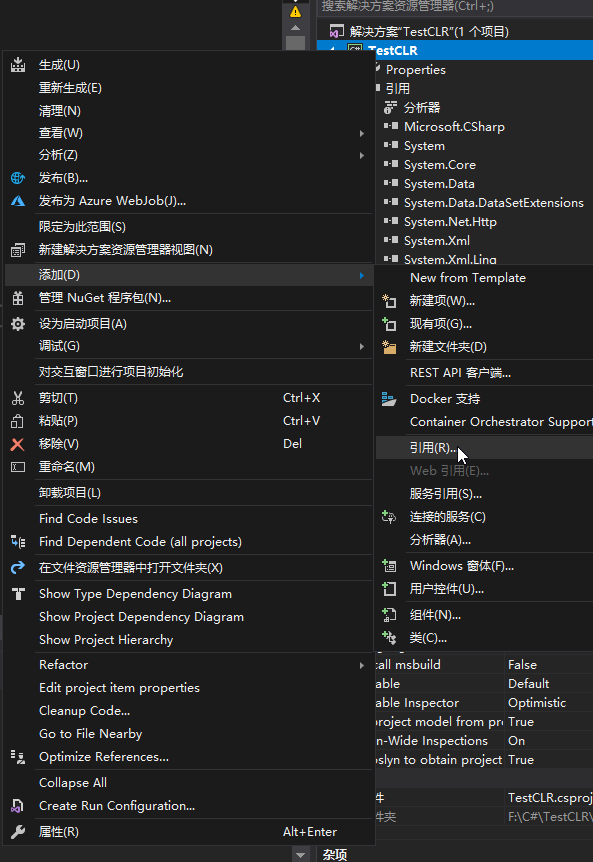
In the C# project, right-click the solution and add a reference:
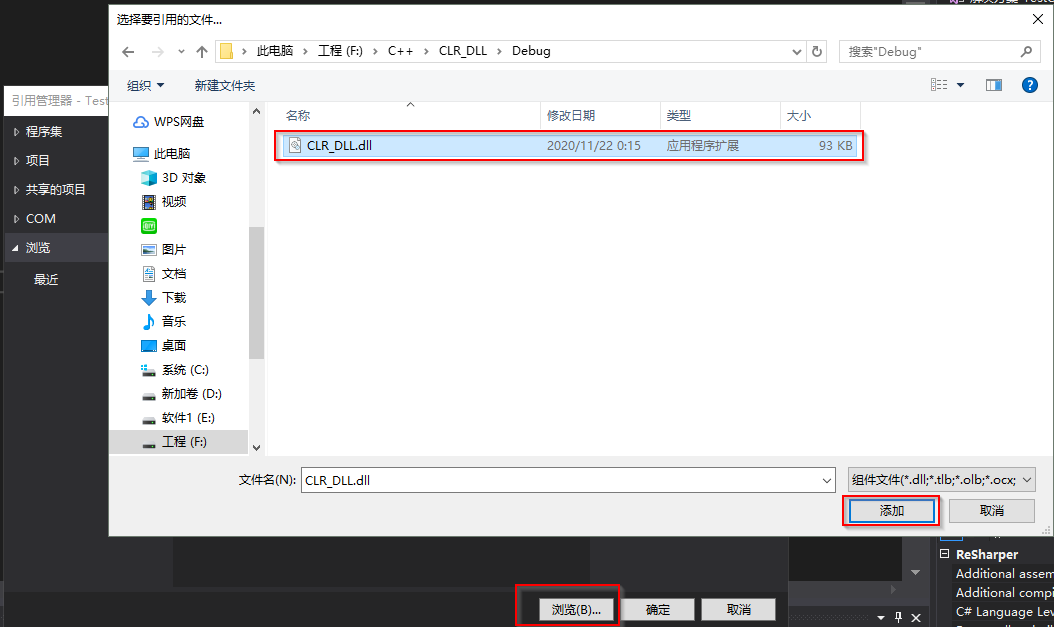
Browse to the CLR_DLL.dll you generated earlier and click Add:
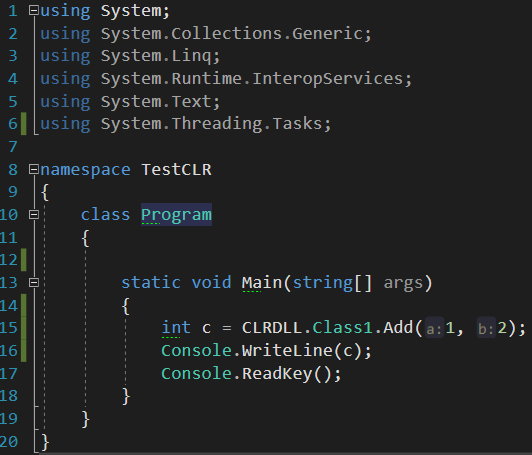
Then you can call the CLRDLL.Class1.Add() method in the Main method:
The result:
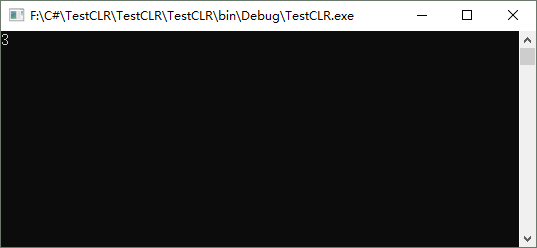
Called correctly.
C# Calling a Method in a DLL Compiled by Unmanaged C++#
To call a method in a DLL compiled by unmanaged C++, you need to use C#’s [DllImport] attribute.
First, use Depends.exe to find the Add method’s entry point:
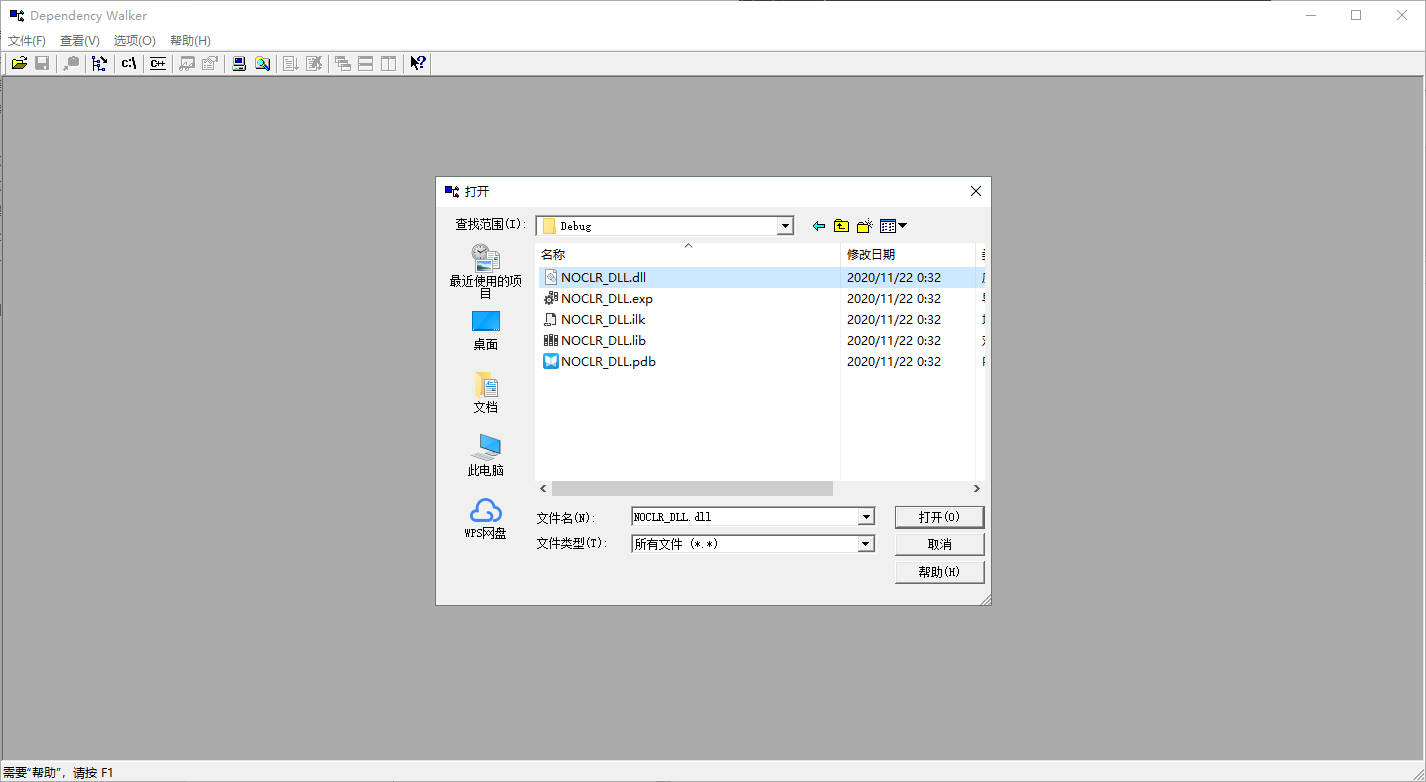
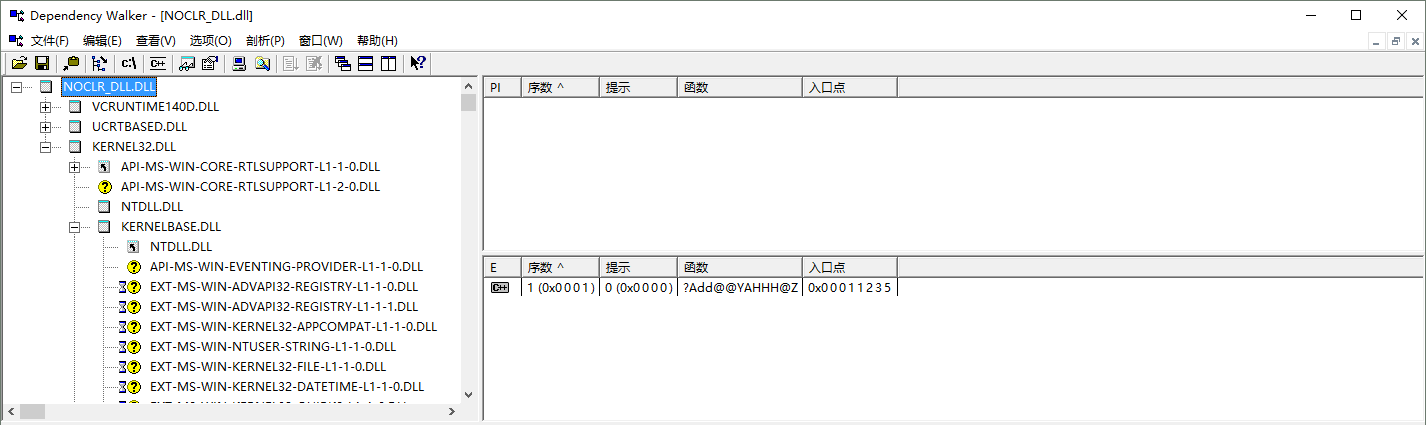
We find that the Add method’s EntryPoint is ?Add@@YAHHH@Z.
Copy the NOCLR_DLL.dll you generated earlier into the C# project’s bin/Debug:
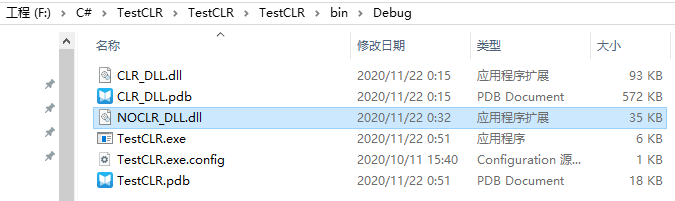
Then import the DLL with DllImport before the Main method:
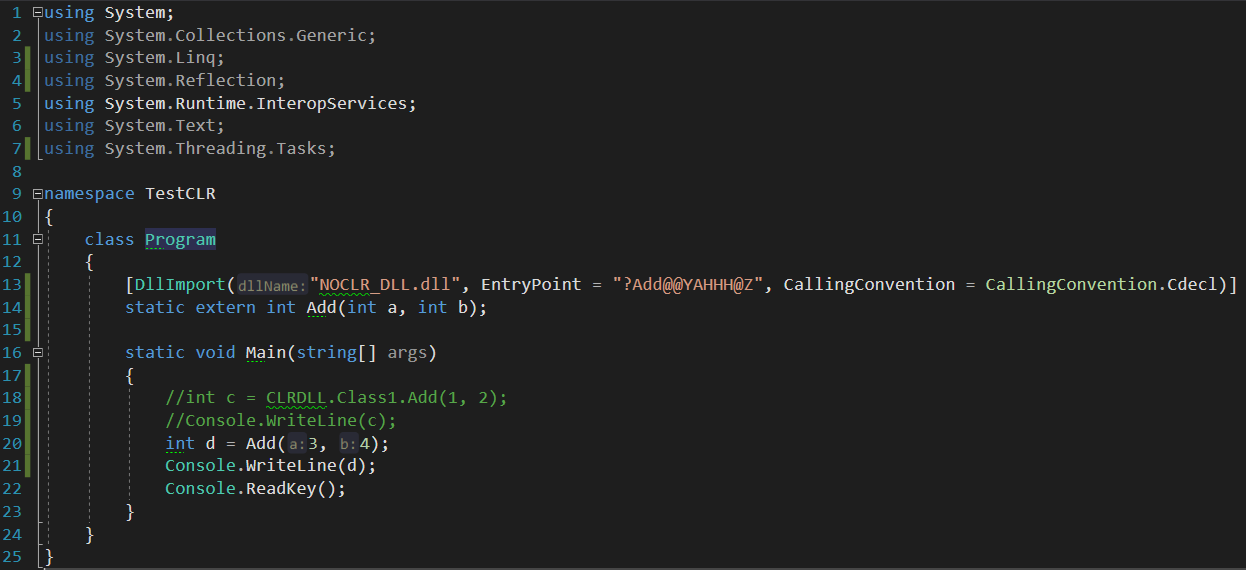
The run result:
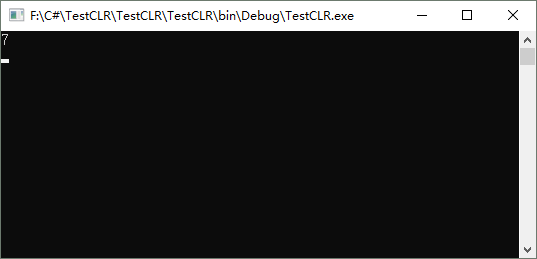
Called correctly.
Summary#
Saying “DLL = assembly” or “assembly = DLL” is definitely wrong. All you can say is that a file with the .DLL extension might be an assembly, and that an assembly’s extension might also be .EXE. A DLL file compiled from C++ isn’t necessarily an assembly. If it’s C++/CLI, which targets the CLR and has the /CLR switch enabled, then what gets compiled is an assembly. If it’s unmanaged C++, which doesn’t target the CLR and doesn’t have the /CLR switch enabled, then what gets compiled is an ordinary DLL. Although an assembly can have the DLL extension, it also contains data such as metadata, IL code, a manifest, a CLR header, and resource files.
C# uses different approaches for calling methods in a DLL exported by C++/CLI and in a DLL exported by unmanaged C++.
The above are all my own thoughts and testing process. If there’s anything incorrect or imprecise, corrections are welcome!
Comments