This post was translated from the original with AI assistance. Read the original
Originally published on my old cnblogs blog: [转载]Pocketchip开启OpenGL硬件加速,性能大提升! (written 2020-04-14).
This post is reposted with permission. Original article:
https://www.xuefei.net.cn/index.php/archives/89/(the site has shut down; see the Wayback Machine copy)Author: xuefei · Date: 2020-04-14 · Category: pocketchip
Install the dependencies:
sudo apt-get install cmake
sudo apt-get install libx11-dev
Build gl4es:
git clone https://github.com/ptitSeb/gl4es.git
cd gl4es
mkdir build
cd build
cmake .. -DCHIP=1 -DCMAKE_BUILD_TYPE=RelWithDebInfo
# -j2 left out: it tends to run out of memory
make
Replace the system libGL:
cd ../
cd lib/
sudo mv libGL.so.1 /usr/lib/arm-linux-gnueabihf/libGL.so.1.2.0
If you installed xf86-video-fbturbo (that post went down with the original site) before, disable it first:
sudo nano /etc/X11/xorg.confComment out the fbturbo device section:
#Section "Device"
#        Identifier      "Allwinner A10/A13 FBDEV"
#        Driver          "fbturbo"
#        Option          "fbdev" "/dev/fb0"
#        Option          "SwapbuffersWait" "true"
#EndSection
Then reboot and test:
sudo apt-get install mesa-utils
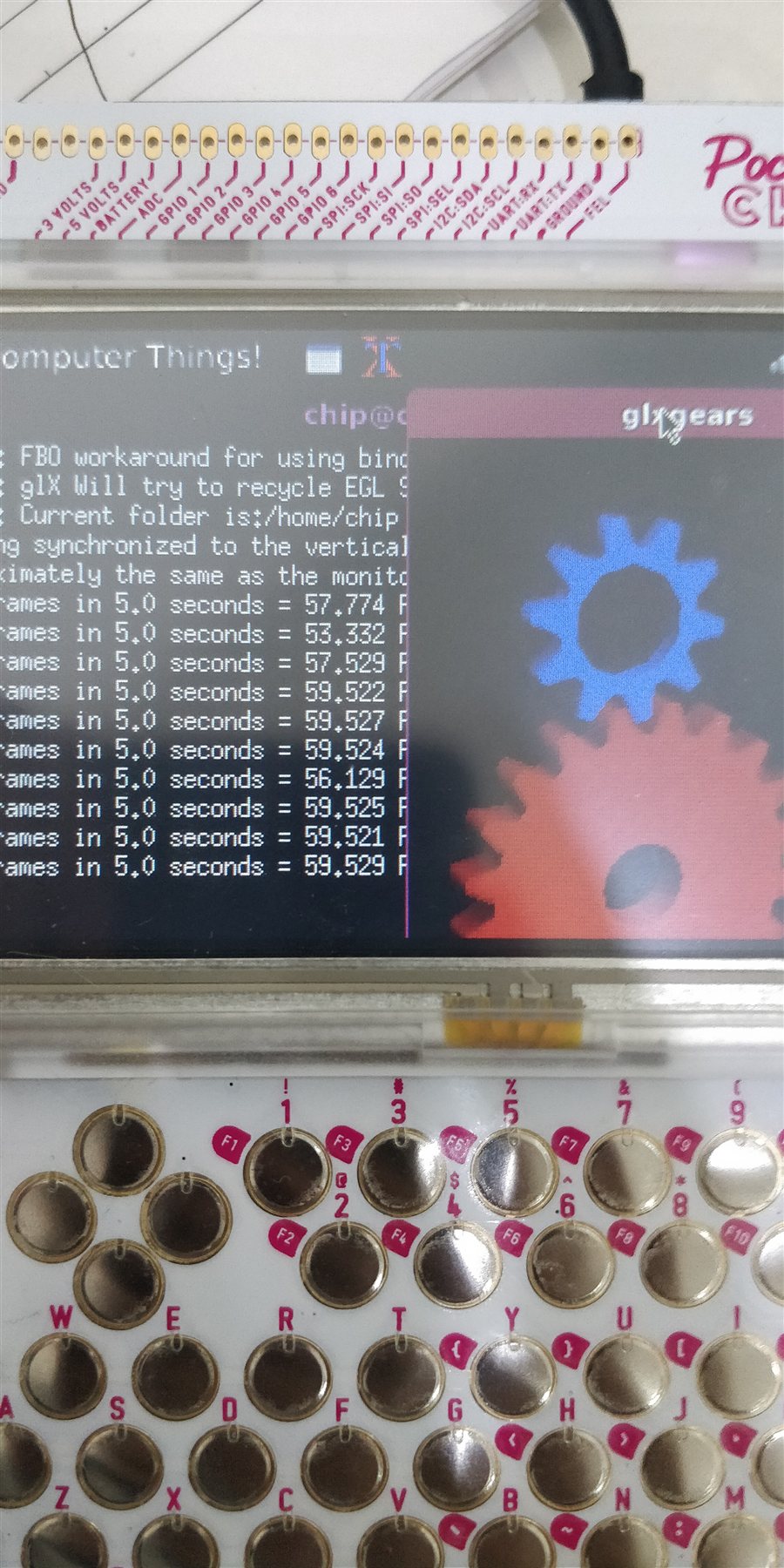
glxgears
On the GUI edition you should see the picture below; on the home edition you might not see the gears, because the window is too big…
Links:
- https://github.com/ptitSeb/gl4es
- https://forum.armbian.com/topic/1420-opengl-on-mali-gpu-bananapi-orangepi-pc-etc/
Tags: PocketChip, hardware acceleration, opengl
Migrated here from cnblogs on 2022/05/12.
Comments