This post was translated from the original with AI assistance. Read the original
Originally published on my old cnblogs blog: Pocketchip安装Love2D(最新11.3)折腾分享[成功] (written 2020-04-10).
Love2d is a game engine written in C/C++ and wrapped with Lua scripting. It’s simple, easy to use and cross-platform.
After switching the PocketChip’s package sources and updating, the version you get via sudo apt-get -f install love is just way too old (0.9).
Sure, 0.10.2 is a bit newer than 0.9, but it’s still relatively old. I tried it, and No909.love won’t run properly because it was written for version 11.1.
So this time I tried installing version 11.3. The goal is to be able to run No909.love, which ships with the GameShell by default.
Preparation#
Download the Linux source for Love2D 11.3#
First of all, obviously, we need to download Love2d 11.3.
But starting with 11, there’s no armhf deb package anymore, so we’ll build and install from source.
Download love-11.3-linux-src.tar.gz
Install the C/C++ compilers and Make#
Since Love2D is written in C/C++, we need gcc and g++. And since building Love2D from source uses make, we need the make tool too. In fact, gcc, g++ and make are dependencies of lots of packages, so we have to install them first.
sudo apt-get install gcc g++ make
Install pkg-config#
The PocketChip doesn’t come with pkg-config, so we need to install that as well; other packages need it too.
sudo apt-get install pkg-config
Install Lua and LuaJIT#
sudo apt-get install lua5.2 installs Lua 5.2.
For LuaJIT, download this file: LuaJIT-2.0.5.tar.gz (no longer on the official site; this is the Wayback Machine copy)
Installing LuaJIT is easy. First extract the archive:
tar -xzvf LuaJIT-2.0.5.tar.gz
Then go into the LuaJIT root directory: cd LuaJIT-2.0.5
Finally, just run make & sudo make install.
Install SDL2#
Most cross-platform scripting game engines written in C/C++, such as Pygame and Love2D, use SDL2.
So we need to install it:
sudo apt-get install libsdl2-dev
Install OpenAL#
Love2D uses OpenAL for audio, so we need it too:
sudo apt-get install libopenal-dev
Install FreeType2#
Install Python 2 and Python 3#
FreeType2 needs Python 2 and Python 3, plus the corresponding pip and pip3.
Let’s install them:
sudo apt-get install python python-pip python3 python3-pip
Download the FreeType2 source#
Download: freetype-2.10.1.tar.gz
Extract it:
tar -xzvf freetype-2.10.1.tar.gz
Go into the FreeType2 root directory:
cd freetype-2.10.1
Install:
make & sudo make install
The install is pretty slow, so you might want to read a book in the meantime.
Install libmodplug, libvorbis, libmpg123 and libtheora#
sudo apt-get install libmodplug-dev libvorbis-dev libmpg123-dev libtheora-dev
Everything’s ready, let’s build from source!#
First extract love-11.3-linux-src.tar.gz:
(Tip: it looks like a tar.gz, so you’d think it’s gzip-compressed, but it actually isn’t, haha)
tar -xvf love-11.3-linux-src.tar.gz
Then go into its root directory:
cd love-11.3
Then you can check whether everything is in order first:
./configure
A no in the output doesn’t mean an error. As long as it finishes without any error messages, you’re good.
Finally
make & sudo make install
This install is even slower. You could go to sleep and check the next day whether it’s done; just remember to keep the PocketChip plugged in (just kidding, but it really does take a while, a bit over an hour, because there’s a lot to compile… trading time for the latest Love2d is totally worth it!).
Installed successfully! It’s now 01:59 on 2020.04.10, and I finally got there!

Test-running No.909#
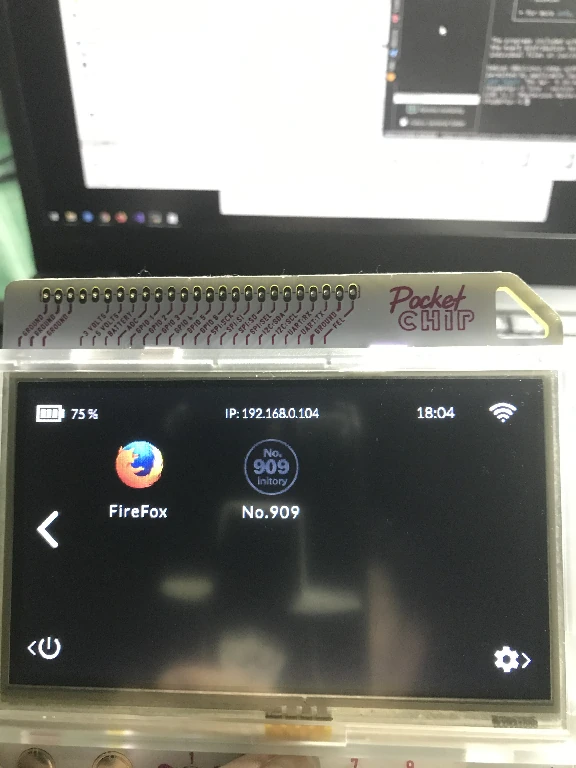
Copy No.909 and its logo from the GameShell over to the PocketChip. I’ve installed an enhanced desktop here that lets you add icons and specify the shell to run, similar to adding custom apps on the GameShell:
Run it:
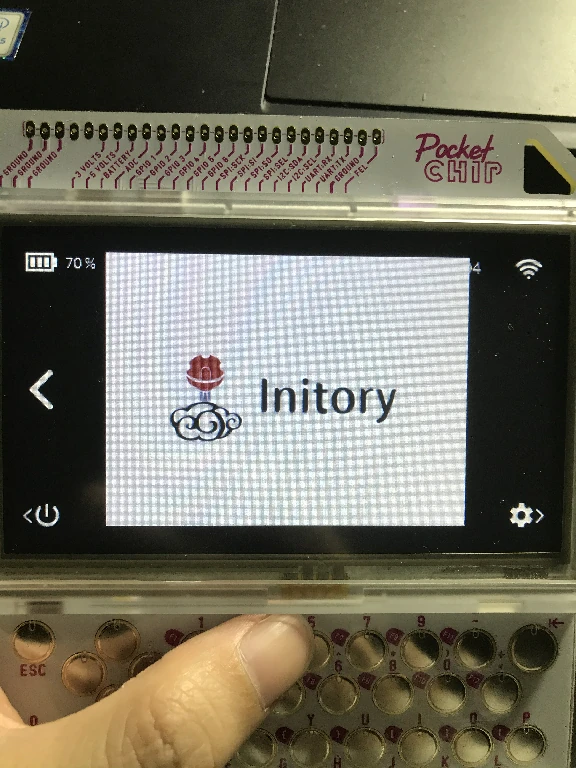
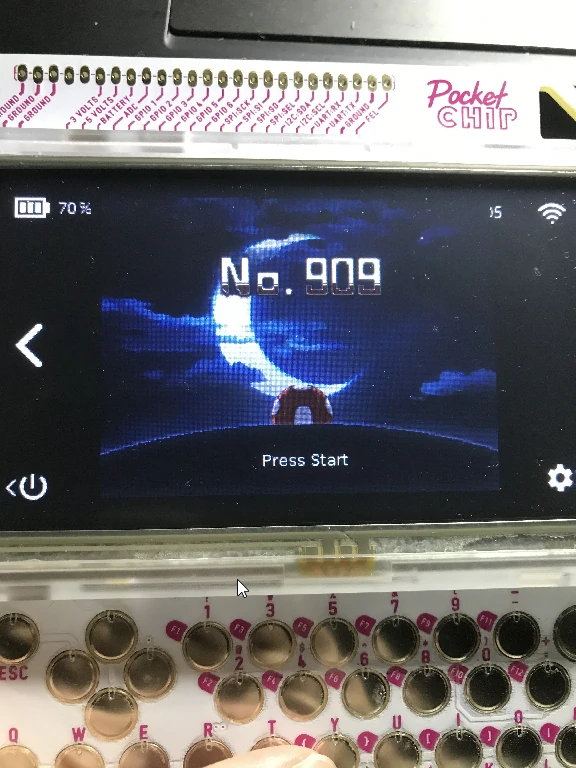
Success!
This means new Love2D games (with a suitable resolution) can all be played on the PocketChip. Pretty awesome, right?
But in actual testing it needs optimization; the frame rate is painful…, probably something to do with GPU rendering.
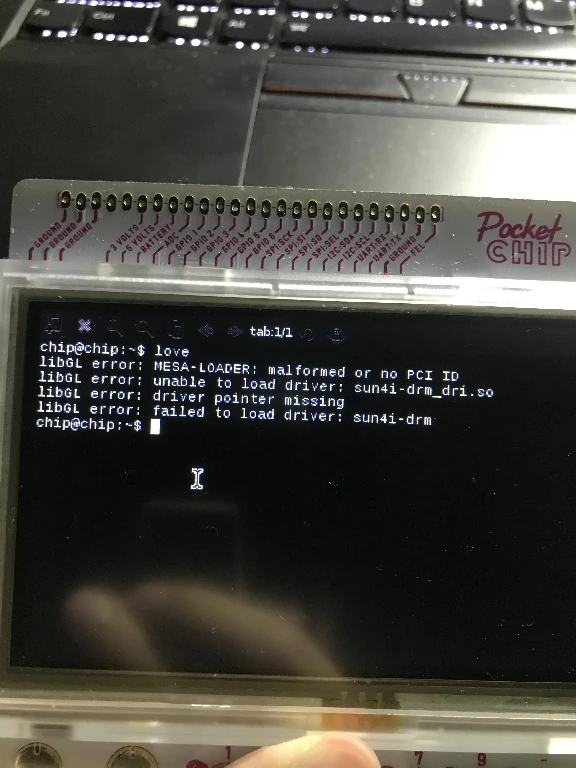
Running it from the Terminal gives this error, and I don’t know how to fix it yet…
2022/05/12 Migrated here from cnblogs.
Comments